
Recruitment guide
Government Exam Server Busy 2026: Best Time to Apply — Explained
Learn when to apply for government exams in 2026 and how to avoid server busy errors and failed submissions for a smooth application process.

Applying for government exams in India is a crucial step for millions of aspirants aiming for a secure and prestigious career. However, one common hurdle many candidates face during the application process is the dreaded "Server Busy" message or failed submission errors. These issues often arise due to heavy traffic on official portals, especially during peak application periods. With the 2026 government exams season approaching, understanding the best times to apply and practical tips to avoid submission failures can save you precious time and stress.
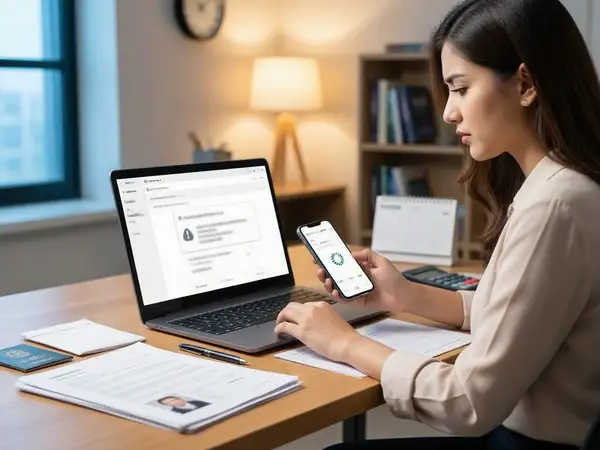
Why Does the "Server Busy" Error Occur During Government Exam Applications?
When thousands, sometimes lakhs, of candidates try to access the same government exam application portal simultaneously, the servers hosting the website can become overloaded. This overload leads to slow loading times, timeouts, or error messages like "Server Busy," "Submission Failed," or "Page Not Responding."
Several factors contribute to this phenomenon:
- High Traffic Volume: Popular exams like SSC, UPSC, Railways, and Banking attract massive applicant numbers.
- Limited Server Capacity: Government portals often have limited bandwidth and server resources compared to private platforms.
- Application Deadlines: As the last date approaches, many candidates rush to apply, causing server congestion.
- Technical Glitches: Sometimes, backend issues or maintenance can reduce server efficiency.

Best Time to Apply for Government Exams in 2026
Timing plays a crucial role in ensuring a smooth application experience. Here are some strategic tips to choose the best time to apply:
1. Apply Early in the Notification Period
Once the official notification is released, avoid waiting for the last few days to apply. Early applicants face less server traffic, reducing the chance of errors. This also gives you ample time to correct any mistakes or complete additional steps like fee payment.
2. Avoid Peak Hours
Server traffic tends to peak during certain hours, especially in the evening after work or college hours (6 PM to 10 PM). Try to apply during off-peak hours such as early morning (6 AM to 9 AM) or late at night (after 11 PM) when fewer users are online.
3. Mid-Week Applications Are Preferable
Weekends often see higher traffic as candidates get free time to complete applications. Applying on weekdays, particularly Tuesday to Thursday, can help avoid traffic surges.
4. Check for Server Maintenance Announcements
Sometimes, portals announce maintenance windows. Avoid applying during these times as servers might be temporarily down or unstable.
How to Avoid Failed Submission During Government Exam Applications
Failed submission can be frustrating and may cause you to miss deadlines. Follow these actionable tips to ensure your application goes through smoothly:
1. Prepare All Documents and Details in Advance
Before starting your application, keep all necessary documents (photograph, signature, ID proof, educational certificates) ready in the required format and size. Also, note down your personal details, educational qualifications, and other required information to fill the form quickly.
2. Use a Stable and Fast Internet Connection
Unstable or slow internet can cause timeouts during form submission. Use a reliable broadband or 4G/5G connection. Avoid public Wi-Fi or shared networks that may disconnect frequently.
3. Avoid Multiple Tabs or Devices
Applying simultaneously on multiple devices or browser tabs can confuse the server and your application session. Use a single device and browser window to complete the process.
4. Clear Browser Cache and Cookies
Sometimes, old cache and cookies can interfere with form loading or submission. Clear your browser cache before starting the application or use incognito/private mode.
5. Use Recommended Browsers
Government portals usually recommend certain browsers for smooth functionality (commonly Google Chrome, Mozilla Firefox, or Microsoft Edge). Avoid outdated browsers or mobile apps unless specified.
6. Save and Preview Before Final Submission
Most portals provide a preview option. Use it to verify all entered details and uploaded documents before final submission. Some portals allow saving drafts, so use this feature if available.
7. Complete Payment Early
If the application requires a fee, complete the payment as soon as possible using secure gateways. Delaying payment can lead to application rejection or server timeouts.
8. Keep Screenshots or Confirmation Numbers
After successful submission, save screenshots or note down the application number/transaction ID. This helps in tracking your application and resolving any future issues.
Common Government Exam Portals Known for Server Busy Issues
Several popular portals frequently experience traffic overload during application seasons. Being aware of these can help you plan better:
| Exam Portal | Common Issues | Tips to Avoid Problems |
|---|---|---|
| SSC (Staff Selection Commission) | High traffic near deadline, slow loading | Apply early, avoid last 2 days, use recommended browsers |
| UPSC (Union Public Service Commission) | Server timeout during form submission, payment failures | Apply during off-peak hours, complete payment early |
| IBPS (Banking Exams) | Login issues, captcha errors | Refresh captcha, use stable internet, clear cache |
| Railway Recruitment Board (RRB) | Slow upload of documents, session expiry | Prepare documents in advance, save frequently |
| State PSCs (Public Service Commissions) | Server downtime, incomplete form errors | Check maintenance schedules, verify form before submission |
Technical Solutions and Tools to Improve Application Success
Besides timing and preparation, using certain technical tips can enhance your chances of successful application:
- Use Wired Connection: If possible, use an Ethernet cable instead of Wi-Fi for more stable internet.
- Disable Browser Extensions: Some ad blockers or privacy extensions might interfere with website scripts.
- Use Incognito Mode: Helps avoid cached data issues and logins from other accounts.
- Keep Backup Devices Ready: In case your primary device encounters issues, have a secondary device ready.
- Use Official Mobile Apps: Some commissions provide official apps optimized for applications.
What to Do If You Face Server Busy or Submission Failure?
If you encounter issues despite precautions, here’s what you can do:
- Wait and Retry: Sometimes, waiting 15-30 minutes and trying again can resolve temporary server overload.
- Contact Helpline: Use official helpline numbers or email support provided in the notification.
- Use Different Browser or Device: Switch to another browser or device to rule out compatibility issues.
- Check Application Status: Some portals allow you to verify if your application was partially submitted or saved.
- Document Your Attempts: Keep screenshots of errors and timestamps for future reference.
Checks to complete before you apply
Facing "Server Busy" errors or failed submissions during government exam applications can be frustrating but is avoidable with proper planning and technical awareness. Applying early, choosing off-peak hours, preparing documents beforehand, and using stable internet connections are key strategies to ensure a smooth application process. Stay calm, follow the tips outlined above, and always keep backup options ready. Remember, a timely and error-free application is your first step towards a successful government job career in 2026.
For more detailed updates on government exam notifications, admit cards, and results, visit our dedicated sections at /sarkari-result and /admit-card.
Frequently Asked Questions
Q1: Why do government exam websites show "Server Busy" errors?
A1: This happens due to heavy traffic when many users access the site simultaneously, causing server overload and slow response times.
Q2: What is the best time to apply for government exams to avoid server issues?
A2: Early in the notification period and during off-peak hours (early morning or late night) on weekdays are ideal times to apply.
Q3: How can I avoid failed submission during online application?
A3: Prepare documents beforehand, use a stable internet connection, clear browser cache, use recommended browsers, and avoid multiple tabs or devices.
Q4: Can I apply for government exams using mobile phones?
A4: Yes, but ensure your mobile browser is compatible, you have a stable internet connection, and your documents are properly formatted for upload.
Q5: What should I do if my application submission fails just before the deadline?
A5: Try again after 15-30 minutes, use a different device or browser, and contact the official helpline if the problem persists. Always keep screenshots as proof.
Related Resources
Related Government Job Resources
Continue with active job hubs and related government job pages on TrueJobs.
Tools for this recruitment topic
Use only the tools relevant to the dates, eligibility or documents discussed above.
TrueJobs Editorial Team
TrueJobs editorial desk
This article is prepared from the sources referenced in the guide and reviewed for clarity, links and dated information. Read our editorial and corrections policy.
Continue This Topic
Follow the closest earlier and newer coverage so older archive posts keep real contextual crawl paths.
Government Exam Photo Compression 2026: How to Reduce File Size Without Losing Clarity
Discover effective methods to compress government exam photos in 2026 without compromising clarity. Ensure your photo meets size and quality standards easily.
Government Exam OTP Not Received 2026: Email Spam, DND and Recovery Options
Learn why government exam OTPs are not received in 2026 and discover solutions involving email spam, DND settings, and recovery options to ensure timely OTP delivery.
Read Next

Government Exam PDF Upload 2026: Scan Resolution, File Size and Readability Checklist

Government Exam Browser Compatibility 2026: Best Device, Browser & Scan Settings

Government Exam Crop Tool Mistakes 2026: Why Good Photos Still Get Rejected

Police Recruitment Portal Login Problems 2026: OTP Delays, Server Busy and Fixes
Explore Topics
Perfect Your Resume
Use our AI-powered Resume Builder to create ATS-optimized resumes.
AI Resume Builder