
Recruitment guide
Government Exam OTP Not Received 2026: Causes — Explained
Learn why government exam OTPs are not received in 2026 and discover solutions involving email spam, DND settings, and recovery options to ensure timely OTP delivery.
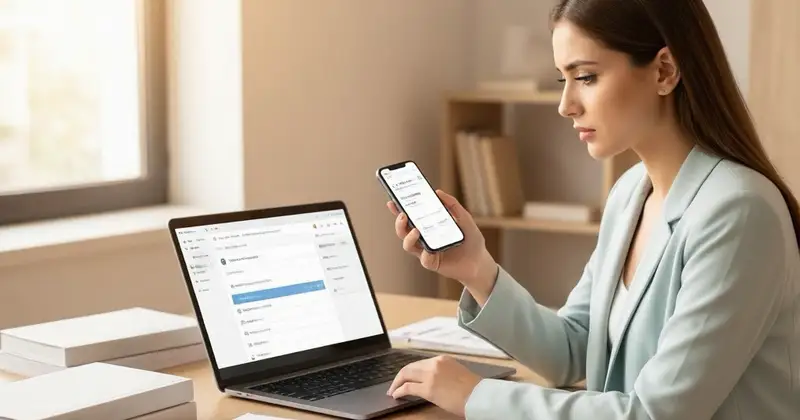
In the digital era, One-Time Passwords (OTPs) have become an essential part of the government exam application and verification process. They ensure security and authenticity for candidates applying for various competitive exams in India. However, many aspirants face the common issue of not receiving OTPs during crucial moments like registration, application submission, or admit card download. This can cause significant delays and stress, especially when exam deadlines approach.
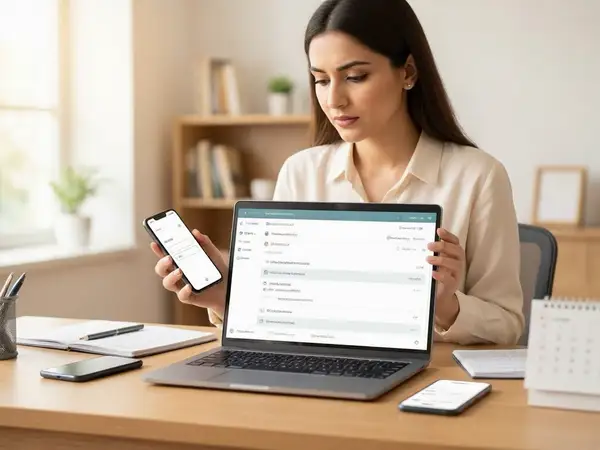
In 2026, with the increasing reliance on online systems for government exams, understanding why OTPs fail to arrive and how to resolve these issues is more important than ever. This article explores the common reasons behind OTP delivery failures, including email spam filters, Do Not Disturb (DND) settings, and network issues. We also provide actionable recovery options to help candidates receive their OTPs promptly and continue their exam process without hassle.
Understanding the Importance of OTPs in Government Exams
One-Time Passwords serve as a security layer for various online activities related to government exams. Whether it's logging into the official portal, confirming personal details, or downloading admit cards, OTPs verify the identity of the candidate and protect sensitive information.
Given the high stakes involved in government exams, the proper functioning of OTP systems is critical. Missing an OTP can lead to incomplete applications, missed deadlines, or inability to access important exam-related documents.

Common Reasons Why Government Exam OTPs Are Not Received
Several factors can prevent candidates from receiving OTPs on their registered mobile numbers or email addresses. Identifying the root cause is the first step towards resolving the issue.
1. Email Spam and Junk Folder IssuesMany candidates rely on email for receiving OTPs. However, automated emails from government portals may be mistakenly flagged as spam or junk by email service providers. This results in OTP emails being diverted away from the main inbox.
Additionally, promotional or social tabs in email platforms like Gmail may also filter OTP emails, making them less visible.
2. Do Not Disturb (DND) Settings on Mobile Phones
DND services, activated to avoid unsolicited calls and messages, can sometimes block OTP SMS from government portals. If the candidate’s mobile number is registered under DND, OTP messages might not be delivered.
Telecom operators offer different levels of DND blocking, and in some cases, legitimate OTP messages may be mistakenly filtered.
3. Network and Connectivity Issues
Poor network coverage or temporary outages can delay or block OTP delivery. This is particularly common in remote or rural areas where mobile signals are weak.
Similarly, email servers might experience downtime or delays, causing OTP emails to arrive late or not at all.
4. Incorrect Contact Details
Sometimes, candidates enter incorrect mobile numbers or email addresses during registration or profile updates. This simple error leads to OTPs being sent to the wrong contact point.
5. Server Overload and Technical Glitches
During peak application periods, government exam portals may face high traffic volumes, leading to server overload. This can cause OTP generation or delivery systems to malfunction temporarily.
Technical glitches or bugs in the portal’s backend systems may also disrupt OTP dispatch.
How to Check and Resolve Email Spam Issues for OTP Delivery
If you suspect that your OTP email is being filtered out, follow these steps to ensure successful delivery:
- Check Spam/Junk Folder: Look into your spam or junk mail folder for any OTP emails. If found, mark them as “Not Spam” to prevent future filtering.
- Whitelist the Sender’s Email Address: Add the official government exam portal’s email address to your contacts or safe sender list to avoid automatic filtering.
- Check Other Email Tabs: For Gmail users, check the Promotions, Social, or Updates tabs where OTP emails might be routed.
- Use a Reliable Email Provider: Consider using popular and trusted email services like Gmail, Outlook, or Yahoo for government exam communications.
- Clear Email Storage: Ensure your email inbox is not full, as this can block new incoming messages.
- Disable Email Filters Temporarily: If you use custom filters or rules, disable them temporarily to see if they are blocking OTP emails.
Managing Do Not Disturb (DND) Settings to Receive OTP SMS
DND services are helpful in reducing spam but can interfere with OTP delivery. Here’s how to manage DND settings effectively:
- Check DND Status: You can verify your DND registration status by sending an SMS or using your telecom operator’s customer service.
- Temporarily Disable DND: Contact your mobile service provider to temporarily lift DND restrictions or whitelist the government exam portal’s number.
- Allow Priority Messages: Some operators allow OTPs and transactional messages even under DND. Confirm this feature with your provider.
- Use Alternate Mobile Number: If possible, register an alternate mobile number not under DND for exam communications.
Recovery Options When OTP Is Not Received
If you have tried the above steps and still haven’t received your OTP, consider the following recovery options:
1. Resend OTP Option
Most government exam portals provide a “Resend OTP” button. Use this option after waiting for the initial OTP timeout period (usually 2-5 minutes). Avoid excessive requests to prevent temporary blocking.
2. Use Alternate Contact Details
If the portal allows, update your mobile number or email address to an alternate contact and request OTP there.
3. Clear Browser Cache and Cookies
Sometimes, browser issues can affect OTP receipt or portal functionality. Clear your browser cache and cookies or try using a different browser or device.
4. Contact Official Helpdesk
Reach out to the official helpline or support email of the exam conducting authority. Provide your registration details and explain the OTP issue. They may assist with manual verification or alternative solutions.
5. Check for Portal Announcements
Occasionally, government portals announce technical issues or maintenance schedules that affect OTP services. Keep an eye on official notifications on the exam portal or related government websites.
Preventive Tips to Avoid OTP Issues in Future Government Exam Applications
To minimize OTP-related problems, follow these best practices:
- Register Correct Contact Details: Double-check your mobile number and email before submitting forms.
- Use Official Portals: Always use the official government exam websites to avoid phishing or fake OTP requests.
- Keep Mobile Network Active: Ensure your phone has sufficient balance and network coverage during the OTP request.
- Check Spam Settings Regularly: Periodically review your email spam settings and DND preferences.
- Save OTP Messages: Do not delete OTP messages immediately; keep them until the process is complete.
- Update Contact Details Promptly: If you change your mobile number or email, update your profile on the exam portal immediately.
How Government Exam Portals Are Improving OTP Delivery Systems
Recognizing the challenges candidates face, many government exam authorities are adopting advanced technologies to improve OTP delivery:
- Multi-Channel OTP Delivery: Sending OTPs via both SMS and email to increase chances of receipt.
- Use of App-Based OTPs: Some portals integrate with mobile apps that generate OTPs offline, reducing dependency on network connectivity.
- Enhanced Spam Filters: Collaborating with telecom operators and email providers to whitelist official sender IDs.
- Real-Time Monitoring: Monitoring OTP dispatch systems to quickly resolve bottlenecks or server issues.
- User Education: Providing detailed instructions and FAQs on portals to guide candidates on OTP-related problems.
Checks to complete before you apply
Receiving OTPs promptly is crucial for a smooth government exam application process. Issues like email spam filtering, DND settings, network problems, and incorrect contact details are common reasons for OTP delivery failures. By understanding these causes and following practical recovery steps, candidates can minimize delays and avoid unnecessary stress.
Always ensure your contact details are accurate, check spam folders, manage DND settings wisely, and use official channels for communication. If problems persist, contacting the official helpdesk and staying updated with portal announcements can provide effective solutions.
For more information on government exam results and admit cards, visit /sarkari-result and /admit-card. Stay informed and prepared to secure your dream government job in 2026.
Frequently Asked Questions
Q1: What should I do if I don’t receive the OTP within 5 minutes?
A1: First, check your spam or junk email folder and verify your mobile network connectivity. Use the “Resend OTP” option on the portal after waiting for at least 5 minutes. If the issue persists, contact the official exam helpline.
Q2: Can DND block OTP messages from government portals?
A2: Yes, DND services may block certain SMS, including OTPs. However, many telecom operators allow transactional messages like OTPs even under DND. Contact your operator to confirm or temporarily disable DND if needed.
Q3: How can I ensure OTP emails don’t go to spam?
A3: Add the official sender’s email address to your contacts or whitelist, regularly check spam folders, and use reliable email providers. Mark any OTP email found in spam as “Not Spam” to improve future delivery.
Q4: Is it safe to share my OTP with anyone?
A4: No, never share your OTP with anyone. OTPs are confidential and meant to verify your identity. Sharing OTPs can lead to unauthorized access to your exam account.
Q5: What if I entered the wrong mobile number during registration?
A5: If the portal allows, update your contact details immediately. Otherwise, contact the exam authority’s helpdesk for guidance on correcting your information to receive OTPs correctly.
Related Resources
Related Government Job Resources
Continue with active job hubs and related government job pages on TrueJobs.
Tools for this recruitment topic
Use only the tools relevant to the dates, eligibility or documents discussed above.
TrueJobs Editorial Team
TrueJobs editorial desk
This article is prepared from the sources referenced in the guide and reviewed for clarity, links and dated information. Read our editorial and corrections policy.
Continue This Topic
Follow the closest earlier and newer coverage so older archive posts keep real contextual crawl paths.
Government Exam Server Busy 2026: Best Time to Apply & How to Avoid Failed Submission
Learn when to apply for government exams in 2026 and how to avoid server busy errors and failed submissions for a smooth application process.
Government Exam Browser Compatibility 2026: Best Device, Browser & Scan Settings
Ensure smooth government exam submissions in 2026 by using the right devices, browsers, and scan settings. Learn the best practices for hassle-free online applications.
Read Next

Government Exam Photo Compression 2026: How to Reduce File Size Without Losing Clarity
Government Exam Browser Compatibility 2026: Best Device, Browser & Scan Settings

Government Exam JPEG vs PDF Upload 2026: Which Documents Need Which Format

Police Recruitment Portal Login Problems 2026: OTP Delays, Server Busy and Fixes
Explore Topics
Perfect Your Resume
Use our AI-powered Resume Builder to create ATS-optimized resumes.
AI Resume Builder