
Recruitment guide
Govt Job Application Rejected? 8 Reasons & How to Fix — Explained
A rejected government job application is disheartening. This guide covers common mistakes, with actionable tips to ensure your next application is successful.

The dream of securing a stable and prestigious government job, or 'Sarkari Naukri', is one shared by millions across India. You spend months, sometimes years, preparing for the exam, tracking notifications, and waiting for the right opportunity. Finally, you fill out the application form with hope and anticipation. But what happens when you later discover your application has been rejected? It's a deeply disheartening experience that can feel like a major setback. The worst part is that most rejections aren't due to a lack of qualification, but because of small, avoidable mistakes made during the application process.

At TrueJobs.co.in, we understand your journey and the frustrations that come with it. That's why we've compiled this comprehensive guide to the most common reasons government job applications get rejected. By understanding these pitfalls, you can ensure your hard work doesn't go to waste before you even get a chance to write the exam. Let's dive into the details and learn how to submit a flawless application every time.
1. Incomplete or Incorrect Information in the Application Form
This is, by far, the most frequent reason for application rejection. Government recruitment bodies like UPSC, SSC, IBPS, and State PSCs process lakhs of applications. Their systems are automated to filter out forms that don't meet the basic requirements. A single blank mandatory field or a typo in a critical section can lead to immediate disqualification.
Common Errors to Watch Out For:
- Personal Details: Mismatched spelling of your name or your parents' names compared to your official documents (like your 10th-grade certificate or Aadhaar card). Even a small difference like 'Sandeep Kumar' vs. 'Sandeep K.' can cause issues.
- Date of Birth: Entering the wrong date of birth is a critical error that directly impacts your age eligibility. Double-check the DD/MM/YYYY format.
- Contact Information: Providing an inactive email address or an incorrect mobile number. All official communication, including updates about your /admit-card and results, will be sent here.
- Category/Reservation Details: Incorrectly selecting your category (e.g., choosing OBC-NCL when you don't have a valid, recent certificate) can lead to rejection either at the application stage or later during document verification.
- Leaving Mandatory Fields Blank: Every field marked with an asterisk (*) is mandatory. Overlooking even one can cause your form submission to be incomplete.
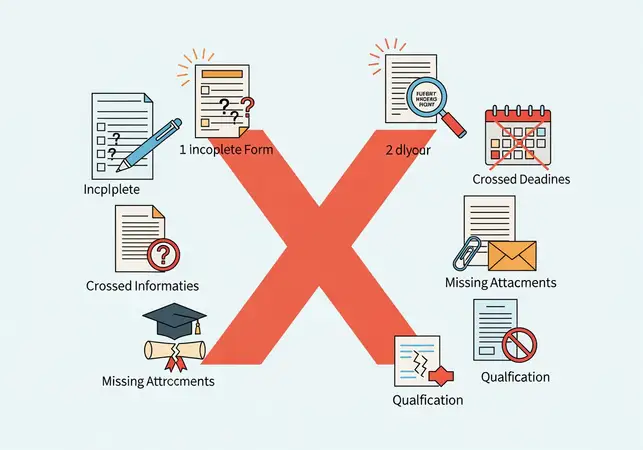
Actionable Tip: Fill out the application form on a computer with a stable internet connection, not on a mobile phone where typos are more common. After filling it out, take a 10-minute break and then re-read every single entry from start to finish before final submission. It's even better to have a friend or family member review it for you.
2. Failure to Meet Eligibility Criteria
Every government job notification provides a detailed set of eligibility criteria. These are non-negotiable. The online application systems often have checks in place, but sometimes a candidate might misinterpret a requirement and apply anyway. The application will be summarily rejected once the verification process begins.
Key Eligibility Areas to Scrutinize:
- Age Limit: The notification will specify a minimum and maximum age as of a particular cut-off date. Ensure you fall within this range. Remember to account for any age relaxations applicable to your category (SC/ST/OBC/PwD/Ex-Servicemen) and ensure you have the documents to prove it.
- Educational Qualifications: The required degree, diploma, or certificate must be obtained from a recognized board or university. You must have passed the qualifying examination on or before the cut-off date mentioned in the notification. Appearing for the final exam is often not enough unless explicitly stated.
- Work Experience: For posts that require experience, you must meet the exact duration and type of experience specified. Vague or irrelevant experience will not be considered.
Here’s a quick reference table:
| Criteria | Requirement Example (from a notification) | Common Mistake Leading to Rejection |
|---|---|---|
| Age | Must be between 21-30 years as of 01/08/2024. | Candidate's 21st birthday is on 02/08/2024, making them ineligible. |
| Education | Bachelor's Degree in any stream from a recognized university. | Candidate has a diploma, not a degree, or the degree is from an unrecognized university. |
| Experience | Minimum 2 years of post-qualification experience in accounting. | Candidate has 1.5 years of experience, or the experience was gained before completing their degree. |
Actionable Tip: Before you even begin filling the form, read the 'Eligibility' section of the official notification at least twice. Create a checklist for yourself and tick off each requirement (Age, Education, Nationality, etc.) to confirm you meet them all without a doubt.
3. Issues with Uploaded Documents, Photograph, and Signature
This is a technical but extremely common hurdle. Most online application portals require you to upload scanned copies of your photograph, signature, and sometimes other documents like caste certificates or educational marksheets. Failure to adhere to the precise specifications will lead to rejection.
Checklist for Uploads:
- Photograph Specifications: Most portals require a recent passport-size photograph (not older than 3-6 months) with a white or light-coloured background. The face should be clearly visible (covering 70-80% of the photo) without any hats, sunglasses, or shadows. Selfies are strictly prohibited.
- Signature Specifications: The signature must be done with a black or blue pen on a white sheet of paper and then scanned. It should not be in all capital letters and must be clear and not blurry.
- File Format: Pay close attention to the required format, which is usually .jpg or .jpeg. Uploading a .png, .pdf, or .gif file will result in an error or rejection.
- File Size: There are strict minimum and maximum file size limits (e.g., Photo: 20kb-50kb, Signature: 10kb-20kb). If your file is too large or too small, it won't be accepted.
- Dimensions: Some portals also specify the exact pixel dimensions (e.g., 200 x 230 pixels for a photo).
- Clarity and Legibility: All scanned documents, whether it's your 10th marksheet or a community certificate, must be clear and readable. A blurry or poorly scanned document is grounds for rejection.
Actionable Tip: Use free online tools to resize and compress your images to meet the exact specifications. Scan your documents using a proper scanner instead of your phone's camera for better clarity. Name the files clearly (e.g., 'My_Photo.jpg', 'My_Signature.jpg') and keep them in a dedicated folder before you start the application process.
4. Application Fee Payment Failure
Your application is considered incomplete until the fee is successfully paid and reconciled with the recruitment board's bank account. Many candidates complete the form but fail at the final, crucial step of payment.
Common Payment-Related Problems:
- Non-Payment: Simply forgetting to pay the fee or assuming the application is complete without it.
- Late Payment: Paying the fee after the specified deadline. Note that the deadline for form submission and fee payment can sometimes be different.
- Payment Failure: The amount is debited from your bank account, but due to a server or network issue, the transaction fails, and the application portal status remains 'Payment Not Received'.
- Using an Invalid Payment Method: Using a payment mode that is not supported by the portal.
Actionable Tip: Always pay the application fee well before the last date to avoid last-minute server overload. After a successful transaction, a confirmation page or receipt with a transaction ID is generated. Save a PDF copy and take a screenshot of this page. If the amount is debited but the status is not updated, do not panic. Wait for 24-48 hours for it to reconcile automatically. If it doesn't, contact the helpdesk mentioned in the notification with your transaction details.
5. Missing the Submission Deadline
This might seem obvious, but a surprising number of candidates wait until the last day, or even the last few hours, to submit their applications. This is a high-risk strategy. Government job portals experience extremely heavy traffic on the final days, leading to server slowdowns, crashes, and payment gateway failures.
Recruitment boards are very strict about deadlines. A submission at 12:00:01 AM after the deadline of 11:59:59 PM will not be accepted. There are no excuses for last-minute technical glitches. The responsibility to submit the form on time lies solely with the candidate.
Actionable Tip: Treat the deadline as being at least 2-3 days *before* the actual last date. Mark this personal deadline on your calendar. This gives you a buffer to handle any unexpected technical issues, arrange for documents, or clarify doubts without the stress of a ticking clock. Submitting early ensures peace of mind.
6. Submitting Multiple Applications for the Same Post
In an attempt to correct a mistake made in a previously submitted form, some candidates submit a second, new application. This is often a critical error. Most recruitment notifications explicitly state that if a candidate submits multiple applications for the same post, only the latest completed application will be considered. However, some bodies have stricter rules and may reject *all* applications from such a candidate on the grounds of attempting to manipulate the system.
Actionable Tip: Read the notification's policy on multiple applications. If you make a mistake, first check if the recruitment board is providing an 'Application Correction Window'. Many organizations like SSC now provide a specific period to modify your form for a nominal fee. This is the correct and safe way to fix errors. Only if this option is unavailable and the notification allows it, should you consider filling a fresh form.
7. Discrepancies Between Application Data and Supporting Documents
Your application is a declaration. The documents you provide later during the Document Verification (DV) stage are the proof. Any mismatch between the two can lead to the cancellation of your candidature, even if you have cleared all the written exams and interviews.
Examples of Critical Discrepancies:
- Name Variation: Application says 'R. K. Sharma' but the degree certificate says 'Rakesh Kumar Sharma'.
- Date of Birth Mismatch: The DOB on your Aadhaar card is different from your 10th certificate. (Note: The DOB on the 10th/Matriculation certificate is almost always considered the final authority).
- Category Certificate Issues: The OBC-NCL or EWS certificate was issued after the cut-off date mentioned in the job notification, making it invalid for that particular recruitment cycle.
Actionable Tip: Before filling out the form, gather all your essential documents: 10th certificate, 12th certificate, degree, caste/community certificate, ID proof (Aadhaar/PAN). Use the exact spellings and dates mentioned in these documents for your application. Ensure your reservation certificates are valid and comply with the format prescribed by the Government of India.
8. Not Following Specific Instructions in the Notification
Every job notification is a detailed rulebook. It contains specific instructions that might be unique to that particular exam or post. Ignoring these details can be perilous.
For example, a notification might require a 'Left Thumb Impression' (LTI) to be uploaded, or a handwritten declaration with a specific text. Submitting a right thumb impression or writing the wrong text for the declaration will be caught by the verification software and your application will be rejected.
Actionable Tip: Dedicate at least one hour to reading the official notification from cover to cover. Pay special attention to the 'How to Apply' section. Use a highlighter to mark key instructions, specifications for uploads, and specific texts for declarations. Following the rulebook is your first test in the recruitment process.
Conclusion: Your Application is Your First Test
Securing a government job is a marathon, and submitting the application form is the first crucial lap. A rejection at this stage is not a reflection of your ability but a lesson in diligence. The key takeaway is simple: attention to detail is paramount.
By reading the notification carefully, preparing your documents in advance, filling the form with patience, and submitting well before the deadline, you can eliminate almost all chances of an avoidable rejection. This ensures that your focus remains where it should be: on preparing for the examination and showcasing your true potential. Keep these points in mind for your next application on /latest-jobs, and you'll be one step closer to achieving your goal.
Frequently Asked Questions (FAQs)
Q1: Can I correct a mistake in my government job application after final submission?
A: It depends entirely on the recruiting agency. Many bodies like the Staff Selection Commission (SSC) now provide a specific 'Correction Window' for a few days after the application deadline, where you can modify your details for a small fee. However, some organizations do not offer this facility. Always check the official notification for information on the application correction process. If no correction window is available, you may have to accept the error, and it could lead to rejection later.
Q2: My payment was debited from my bank, but the application status still shows 'Payment Incomplete'. What should I do?
A: Do not initiate a second payment immediately. This is a common issue caused by a delay in communication between the bank's server and the application portal. Wait for 24-48 hours for the payment status to update automatically. Save the transaction ID and a screenshot of the debited amount. If the status doesn't change after 48 hours, contact the official helpdesk or support email ID mentioned in the job notification with all your payment details.
Q3: How do I make sure my photo and signature are in the correct size and format?
A: First, read the notification for the exact specifications (e.g., format: JPG, size: 20-50 KB, dimensions: 200x230 pixels). You can use a standard scanner to scan your photo and signature. To resize them, you can use built-in tools like MS Paint on Windows or Preview on Mac. There are also many free and safe online image resizing websites. Simply search for 'online image resizer' or 'online image compressor' to adjust the dimensions and file size as required.
Q4: Will I receive an email or SMS if my application is rejected?
A: Not always. While some recruitment bodies might send a notification about discrepancies, many do not. Often, the first time you find out about your application's rejection is when you are unable to download your /admit-card or when your name is missing from the list of eligible candidates for the exam. This is why it is critical to be extremely careful while filling out the form to avoid rejection in the first place.
Q5: Is it better to fill the application form myself or go to a cyber cafe?
A: It is highly recommended to fill the form yourself. This gives you complete control and allows you to double-check every detail personally. While cyber cafes can be helpful if you lack computer access, there is a higher risk of errors as the operator may be in a hurry and make typos in your personal or academic details. If you must use a cyber cafe, sit with the operator, provide all details clearly, and review the entire form on the screen before the final submission.
Govt Job Application Rejected? 8 Reasons & Fixes
Explore more: Latest Govt Jobs | Exam Prep Tips | Resume Guide
FAQs
Why was my application rejected?Common reasons: incomplete forms or incorrect infoHow to avoid errors?Verify details and follow instructionsRelated Resources
- How to Fill SSC CGL Application Form
- Latest UPSC Job Notifications
- Ultimate Guide to Sarkari Naukri Preparation
Related Government Job Resources
Continue with active job hubs and related government job pages on TrueJobs.
Tools for this recruitment topic
Use only the tools relevant to the dates, eligibility or documents discussed above.
TrueJobs Editorial Team
TrueJobs editorial desk
This article is prepared from the sources referenced in the guide and reviewed for clarity, links and dated information. Read our editorial and corrections policy.
Continue This Topic
Follow the closest earlier and newer coverage so older archive posts keep real contextual crawl paths.
OBC-NCL Certificate Validity for Govt Jobs 2026: Rules & Mistakes
Planning to apply for government jobs in 2026 under the OBC-NCL category? Understand the crucial validity rules and common mistakes to ensure your application is successful.
Medical Test in Govt Jobs 2026: Common Rejection Reasons
Understand the common reasons for medical rejection in government job recruitments for 2026. This guide covers vision standards, physical fitness, hidden conditions, and the appeal process to help you prepare.
Read Next

EWS Certificate for Govt Jobs 2026: Eligibility & How to Apply

Medical Test in Govt Jobs 2026: Common Rejection Reasons

Govt Job Certificates 2026: Domicile, Caste, Income & Character Rules

Govt Job Document Verification 2026: Checklist & Rejection Reasons
Explore Topics
Perfect Your Resume
Use our AI-powered Resume Builder to create ATS-optimized resumes.
AI Resume Builder