
Recruitment guide
Aadhaar Mobile Not Linked 2026: OTP & Exam Impact — Explained
Not linking your mobile number to Aadhaar in 2026 can disrupt OTP verification and exam registrations. Learn why it's important and how to link your number.

The Aadhaar card is an essential identity document in India, widely used across government and private sectors for verification purposes. With increasing digitization, linking your mobile number to your Aadhaar has become a critical requirement, especially for receiving One-Time Passwords (OTPs) during various online processes. As we approach 2026, the implications of not having your mobile number linked with Aadhaar are becoming more significant, particularly when it comes to OTP verification and exam registrations for government jobs and other competitive exams.
What Does It Mean to Have Your Mobile Number Linked to Aadhaar?
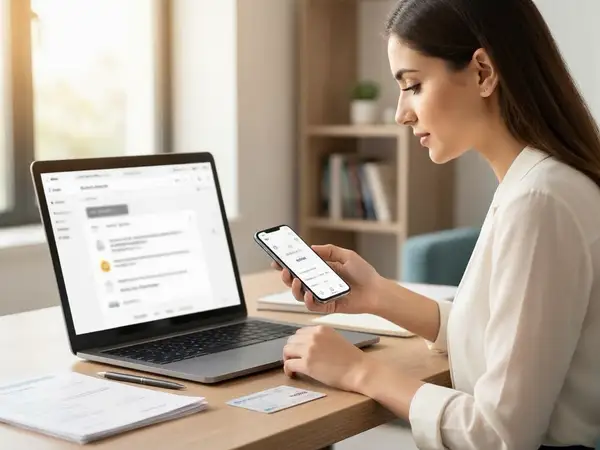
Linking a mobile number to your Aadhaar means that the number is registered in the Unique Identification Authority of India (UIDAI) database as the official contact for your Aadhaar identity. This linkage enables you to receive OTPs, which are used for authentication during various online services such as banking, government schemes, and exam registrations.
When your mobile number is linked, it ensures seamless verification and access to services that require Aadhaar-based authentication. Conversely, if your mobile number is not linked, you may face difficulties in receiving OTPs, which can hinder your ability to complete important processes.
Why Is Aadhaar-Mobile Number Linking Important for OTP Verification?
OTP verification is a widely used security mechanism that confirms the identity of users during online transactions or registrations. In the context of Aadhaar, OTPs are sent to the mobile number registered with UIDAI to verify the user’s identity.

- Secure Authentication: OTPs provide an extra layer of security, preventing unauthorized access.
- Mandatory for Online Services: Many government portals require OTP verification linked to Aadhaar for services like subsidy claims, PAN card applications, and exam registrations.
- Prevents Identity Fraud: Linking a mobile number helps ensure that only the Aadhaar holder can authenticate transactions or registrations.
Without a linked mobile number, you cannot receive OTPs, which means you may not be able to authenticate your identity for many services.
How Does Not Linking Your Mobile Number Affect Exam Registration?
Government job exams and other competitive exams increasingly rely on Aadhaar-based authentication for candidate verification. Here’s how not linking your mobile number to Aadhaar can impact your exam registration:
- OTP Verification Failure: Most exam portals send OTPs to the Aadhaar-linked mobile number to verify candidates during registration. Without a linked number, you won’t receive the OTP, leading to registration failure.
- Inability to Complete Online Forms: Many exam registrations are fully online and require Aadhaar OTP verification at multiple stages. This can prevent you from submitting your application.
- Risk of Disqualification: Failure to verify your identity through Aadhaar OTP may lead to rejection of your application or disqualification from the exam.
- Delays in Admit Card Issuance: Without proper verification, issuing admit cards can be delayed or blocked.
Given the rising emphasis on digital verification, linking your mobile number to Aadhaar is crucial to avoid these hurdles.
Steps to Link Your Mobile Number to Aadhaar
If your mobile number is not linked to Aadhaar yet, here are the steps to do so:
- Visit an Aadhaar Enrollment or Update Center: Locate your nearest Aadhaar Seva Kendra or authorized center.
- Carry Required Documents: Bring your Aadhaar card and the mobile number you want to link.
- Fill the Update Form: Request mobile number linking or update and fill out the Aadhaar correction form.
- Biometric Verification: You may need to provide biometric verification (fingerprint or iris scan).
- Pay the Fee: A nominal fee is charged for updating details.
- Receive Acknowledgment: You will get an acknowledgment slip with a URN (Update Request Number) to track your update status.
- Wait for Confirmation: The update usually takes a few days to reflect in the UIDAI database.
Alternatively, if your mobile number is already linked but you want to update it, the same process applies. Note that online updates for mobile number linking are not available due to security reasons.
How to Check If Your Mobile Number Is Linked to Aadhaar?
Before attempting to link your mobile number, it’s important to verify whether it is already linked. Here are ways to check:
- Visit the UIDAI Website: Use the “Verify Mobile Number” service on the official UIDAI website.
- Enter Aadhaar Number: Provide your 12-digit Aadhaar number.
- Enter the Mobile Number: Input the mobile number you want to verify.
- OTP Verification: An OTP will be sent to your mobile number to confirm the link.
- Result Display: The system will confirm whether the number is linked or not.
If you do not receive the OTP or the system indicates the number is not linked, you should proceed to link your mobile number as described earlier.
Impact of Aadhaar Mobile Number Not Linked on Other Government Services
While this article focuses on OTP and exam registration, it’s important to understand that not linking your mobile number to Aadhaar can affect many other government services:
- Banking Services: OTPs for Aadhaar-based e-KYC or transactions may fail.
- Subsidy Transfers: Direct Benefit Transfers (DBT) linked to Aadhaar may face issues.
- Mobile SIM Verification: Telecom operators use Aadhaar OTP for SIM activation.
- Government Schemes: Application and verification for schemes like PM-KISAN, LPG subsidy, and more require Aadhaar OTP.
- Digital Locker Access: Access to DigiLocker and other digital services may be restricted.
Ensuring your mobile number is linked to Aadhaar is a step towards hassle-free access to a wide range of essential services.
What To Do If You Cannot Link Your Mobile Number to Aadhaar?
There are situations where linking your mobile number to Aadhaar may not be straightforward. Here are some tips if you face difficulties:
- Check Mobile Number Ownership: Ensure the mobile number is active and in your name, as telecom operators require proof of identity.
- Visit Your Mobile Service Provider: Sometimes, mobile number linking issues arise due to telecom errors. Visit your provider for assistance.
- Verify Aadhaar Details: Make sure your Aadhaar details are correct and updated.
- Contact UIDAI Helpline: Reach out to UIDAI support for guidance on complex issues.
- Use Alternative Contact Methods: For exam registrations, if linking is not possible immediately, check if alternative verification methods are accepted by the exam authority.
Resolving these issues early can help prevent last-minute problems during exam registration or other important processes.
Future Outlook: Aadhaar Mobile Number Linking and Digital India
With the government’s push towards a Digital India, Aadhaar-based services are expected to become even more integral to everyday transactions. The emphasis on linking mobile numbers to Aadhaar will continue to grow, making it a non-negotiable requirement for accessing many services.
By 2026, it is likely that Aadhaar OTP verification will be mandatory for most online government services, including exam registrations, financial transactions, and subsidy claims. Keeping your mobile number linked to Aadhaar will ensure smooth and secure access to these services without delays or complications.
Checks to complete before you apply
In summary, not having your mobile number linked to Aadhaar in 2026 can significantly affect your ability to receive OTPs, which are crucial for online authentication. This can lead to challenges in exam registrations for government jobs, delays in receiving admit cards, and even disqualification from exams. Beyond exams, many other government and financial services rely on Aadhaar OTP verification, making mobile number linking essential.
To avoid these issues, it is advisable to verify your Aadhaar-mobile number linkage status and update it promptly if necessary. Visit authorized Aadhaar centers, follow the correct procedures, and ensure your details are accurate. Doing so will help you stay compliant with government requirements and enjoy seamless access to various services.
For more updates on government exams, admit cards, and results, visit our /sarkari-result and /admit-card pages regularly.
Frequently Asked Questions
Q1: Can I link my mobile number to Aadhaar online?
No, currently, linking or updating your mobile number in Aadhaar cannot be done online due to security reasons. You must visit an Aadhaar Seva Kendra or authorized center in person.
Q2: What happens if my mobile number is not linked to Aadhaar during exam registration?
You will not receive OTPs required for Aadhaar-based verification, which may prevent you from completing your exam registration or cause disqualification.
Q3: How long does it take to update the mobile number in Aadhaar?
Typically, it takes 7 to 10 working days for the update to reflect in the UIDAI database after submitting the request at an Aadhaar center.
Q4: Can I use a mobile number linked to someone else’s Aadhaar for OTP verification?
No, the OTP is sent only to the mobile number registered with your Aadhaar. Using someone else’s number will not work for verification.
Q5: Is linking mobile number to Aadhaar mandatory for all government exams?
While many government exams require Aadhaar OTP verification, some may allow alternative verification methods. However, linking your mobile number to Aadhaar is strongly recommended to avoid issues.
Related Resources
Related Government Job Resources
Continue with active job hubs and related government job pages on TrueJobs.
Tools for this recruitment topic
Use only the tools relevant to the dates, eligibility or documents discussed above.
TrueJobs Editorial Team
TrueJobs editorial desk
This article is prepared from the sources referenced in the guide and reviewed for clarity, links and dated information. Read our editorial and corrections policy.
Continue This Topic
Follow the closest earlier and newer coverage so older archive posts keep real contextual crawl paths.
Aadhaar Name Expansion Problem 2026: Matching Initials, Full Names & Exam Forms
Facing Aadhaar name expansion issues in 2026 government exams? Learn how to match initials and full names accurately on exam forms to avoid verification problems.
Aadhaar Locked Biometrics 2026: How Candidates Should Unlock Before Exam Day
Understand Aadhaar locked biometrics and learn the step-by-step process to unlock them before your government exam in 2026 for hassle-free identity verification.
Read Next

Aadhaar DOB Approximation 2026: Understanding the Impact of Recording Only the Year
Auto Logout During Application 2026: How to Avoid Losing Form Data

Aadhaar Name Expansion Problem 2026: Matching Initials, Full Names & Exam Forms

Confirmation Page vs Submitted Application 2026: What Proof You Must Save
Explore Topics
Perfect Your Resume
Use our AI-powered Resume Builder to create ATS-optimized resumes.
AI Resume Builder