
Recruitment guide
Aadhaar Locked Biometrics 2026: Unlock Guide for Exams — Explained
Understand Aadhaar locked biometrics and learn the step-by-step process to unlock them before your government exam in 2026 for hassle-free identity verification.
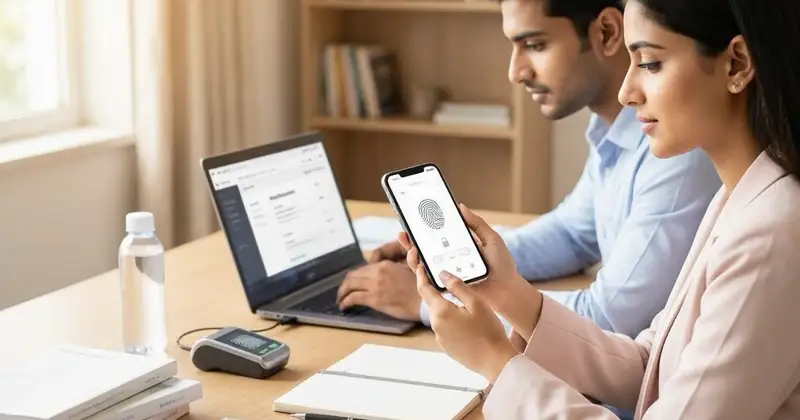
As government recruitment exams increasingly rely on biometric verification to ensure candidate authenticity, Aadhaar locked biometrics have become a crucial aspect for aspirants to understand. From 2026 onwards, many government exam authorities are expected to enforce stricter biometric authentication using Aadhaar data to prevent impersonation and fraud. Consequently, candidates must be aware of what Aadhaar locked biometrics mean, why unlocking them prior to exams is essential, and the step-by-step process to unlock them safely and efficiently.

What Are Aadhaar Locked Biometrics?
Aadhaar locked biometrics refer to the security feature implemented by the Unique Identification Authority of India (UIDAI) that restricts the use of an individual’s biometric data (fingerprints and iris scans) for authentication purposes. When biometrics are locked, they cannot be used for verification in various services, including government exams, banking, and other identity-based transactions, without explicit unlocking by the Aadhaar holder.
This feature was introduced to enhance privacy and prevent misuse of biometric data. However, it also means that if your biometrics are locked, you may face difficulties during biometric verification at exam centers or other official processes.
Why Is Unlocking Aadhaar Biometrics Important for Exam Candidates?
Government exams such as SSC, UPSC, Railway Recruitment Board (RRB), and others frequently use biometric authentication to verify candidates’ identities during admit card issuance, exam attendance, and result declaration. Aadhaar-based biometric verification helps eliminate impersonation and fraudulent entries.
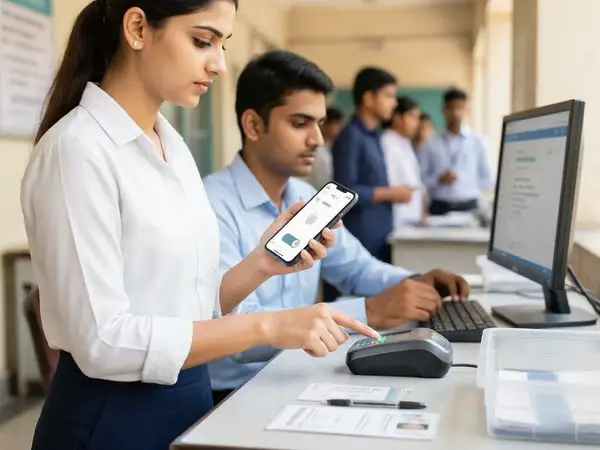
If your Aadhaar biometrics are locked, the exam authorities will not be able to authenticate your identity using fingerprint or iris scans, which may lead to denial of entry or disqualification. Therefore, unlocking your biometrics before the exam day is crucial to avoid last-minute hassles and ensure smooth verification.
How to Check If Your Aadhaar Biometrics Are Locked
Before attempting to unlock your biometrics, it is important to verify their current status. Here is the process:
- Visit the official UIDAI website: https://uidai.gov.in
- Navigate to the 'Aadhaar Services' section and select 'Check Biometric Lock Status'
- Enter your 12-digit Aadhaar number and the security captcha
- You will receive an OTP on your registered mobile number; enter the OTP to proceed
- The system will display whether your biometrics are locked or unlocked
Alternatively, you can use the mAadhaar mobile app to check biometric lock status.
Step-by-Step Guide to Unlock Aadhaar Biometrics
If your biometrics are locked, follow these steps to unlock them securely:
- Visit the UIDAI Biometric Lock/Unlock Portal:
Go to the official UIDAI Biometric Lock/Unlock webpage at https://resident.uidai.gov.in/biometric-lock - Enter Aadhaar Details:
Input your 12-digit Aadhaar number and the captcha code shown on the screen. - Request OTP:
Click on 'Send OTP' to receive a one-time password on your registered mobile number. - Enter OTP and Proceed:
Enter the OTP received and click 'Submit'. - Choose Unlock Option:
Select the option to unlock your biometrics. - Confirm Unlock:
Confirm your selection and submit the request. - Successful Unlock Notification:
You will receive a confirmation message indicating that your biometrics have been unlocked.
Important: Unlocking biometrics is temporary and lasts for 10 minutes, during which you must complete your biometric verification at the exam center or other service points. If you miss this window, you may need to unlock again.
Precautions and Tips for Candidates Before Unlocking Biometrics
- Ensure Mobile Number is Registered: Your Aadhaar-linked mobile number must be active and accessible to receive OTPs.
- Unlock Only When Required: Since biometric unlock is temporary, unlock your biometrics only when you are about to undergo verification.
- Keep Aadhaar Details Handy: Have your Aadhaar card or number ready for quick access.
- Verify Exam Center Facilities: Confirm that the exam center uses biometric verification and understand the process to avoid confusion.
- Practice Biometric Scanning: If possible, get familiar with biometric devices at authorized centers to reduce anxiety on exam day.
- Maintain Finger Hygiene: Clean and dry fingers help in successful fingerprint scans.
What to Do If You Face Issues Unlocking Biometrics?
Sometimes, candidates may encounter problems while unlocking biometrics due to technical glitches, OTP delays, or incorrect Aadhaar details. Here are some solutions:
- Check Mobile Network: Ensure your registered mobile has good network coverage.
- Use Correct Aadhaar Number: Double-check your Aadhaar number for accuracy.
- Clear Browser Cache: Use a different browser or clear cache and cookies before retrying.
- Contact UIDAI Helpline: For persistent issues, contact UIDAI toll-free number 1947 or visit the nearest Aadhaar Enrollment Center.
- Update Mobile Number: If your mobile number is not linked or outdated, update it at an Aadhaar center well in advance.
Alternatives to Aadhaar Biometric Verification in Exams
In some cases, candidates may be unable to unlock biometrics or face difficulties at the exam center. Authorities sometimes provide alternative verification methods such as:
- Manual identification through photo ID verification
- Use of OTP-based authentication on registered mobile
- Verification through other government-issued ID cards
However, these alternatives depend on the exam authority’s policies and are not guaranteed. Hence, unlocking Aadhaar biometrics remains the safest and most recommended option.
Preparing for Exams with Aadhaar Biometric Verification
To ensure a hassle-free exam experience involving Aadhaar biometric authentication, candidates should:
- Check biometric lock status at least 15 days before the exam
- Unlock biometrics only on exam day or as instructed by the exam authority
- Carry original Aadhaar card and admit card to the exam center
- Arrive early at the center to complete biometric verification without rush
- Follow all instructions given by exam officials regarding biometric scans
- Keep backup documents ready in case of biometric failure
Being well-prepared will help avoid unnecessary stress and ensure smooth entry and attendance during government exams.
Checks to complete before you apply
The enforcement of Aadhaar biometric verification in government exams from 2026 onwards makes it essential for candidates to understand the concept of Aadhaar locked biometrics and the unlocking process. Unlocking your biometrics before the exam day ensures seamless identity verification, preventing disqualification or entry denial. By following the step-by-step unlocking procedure and taking necessary precautions, aspirants can confidently face biometric authentication at exam centers. Stay informed, stay prepared, and unlock your Aadhaar biometrics only when necessary to safeguard your privacy and exam eligibility.
For more updates on government exam procedures, admit cards, and results, visit our /admit-card and /sarkari-result sections regularly.
Frequently Asked Questions
Q1: Can I unlock my Aadhaar biometrics multiple times before the exam?
A1: Yes, you can unlock your biometrics multiple times, but each unlock is valid only for 10 minutes. It is advisable to unlock just before biometric verification to avoid repeated unlocking.
Q2: What if I forget to unlock my biometrics on exam day?
A2: If your biometrics remain locked, the exam center may not be able to verify your identity, potentially leading to denial of entry. Contact the exam officials immediately or unlock your biometrics if possible.
A3: Not all exams require Aadhaar biometric verification, but many major government recruitment exams are adopting it. Check the official exam notification for specific requirements.
Q4: How long does the biometric unlock last after activation?
A4: Once unlocked, the biometric data remains accessible for 10 minutes. After that, it automatically locks again for security reasons.
Q5: Can I unlock my biometrics without a registered mobile number?
A5: No, unlocking biometrics requires an OTP sent to your Aadhaar-registered mobile number. If your mobile number is not linked, you must update it at an Aadhaar center before unlocking.
Related Resources
- NEET UG Admit Card Download Rules
- UPSC Prelims Admit Card 2026
- SSC CGL Admit Card 2026
- RRB ALP Admit Card 2026
- CTET Pramanpatra Vaidhata
Related Government Job Resources
Continue with active job hubs and related government job pages on TrueJobs.
Tools for this recruitment topic
Use only the tools relevant to the dates, eligibility or documents discussed above.
TrueJobs Editorial Team
TrueJobs editorial desk
This article is prepared from the sources referenced in the guide and reviewed for clarity, links and dated information. Read our editorial and corrections policy.
Continue This Topic
Follow the closest earlier and newer coverage so older archive posts keep real contextual crawl paths.
Aadhaar Mobile Number Not Linked 2026: Impact on OTP and Exam Registration
Not linking your mobile number to Aadhaar in 2026 can disrupt OTP verification and exam registrations. Learn why it's important and how to link your number.
Aadhaar Authentication in Government Exams 2026: What It Verifies and When It Helps
Explore how Aadhaar authentication verifies identity in government exams 2026, ensuring fairness and security while highlighting its benefits and challenges.
Read Next

Aadhaar Address Old but Valid ID New 2026: Which One Matters for Exam Entry?
Aadhaar Authentication in Government Exams 2026: What It Verifies and When It Helps

PAN Card Name vs Aadhaar Name 2026: Which Identity Proof Helps More at Exam Time?
Government Exam Crop Tool Mistakes 2026: Why Good Photos Still Get Rejected
Explore Topics
Perfect Your Resume
Use our AI-powered Resume Builder to create ATS-optimized resumes.
AI Resume Builder