
Recruitment guide
UPPSC OTR Login Problem 2026: OTP & Password Reset — Explained
Struggling with UPPSC OTR login issues like OTP not received or password reset? This guide offers practical fixes to solve your 2026 UPPSC login problems.

The Uttar Pradesh Public Service Commission (UPPSC) Online Test Registration (OTR) portal is a crucial platform for candidates applying for various government jobs in Uttar Pradesh. However, many aspirants face login issues such as not receiving the OTP (One-Time Password), difficulties in password reset, and other common technical glitches. These problems can cause unnecessary stress and delay in application processes. This article provides a comprehensive guide to troubleshooting UPPSC OTR login problems in 2026, including steps to resolve OTP issues, password resets, and other effective fixes to ensure a smooth login experience.

Understanding the UPPSC OTR Login Process
The UPPSC OTR portal is designed to facilitate candidate registration, application submission, and profile management for various UPPSC exams. The login process typically requires candidates to enter their registered mobile number or email and then verify their identity through an OTP sent to their registered mobile number or email address. This two-step verification ensures the security of candidate data and prevents unauthorized access.
Despite the system's efficiency, candidates often encounter issues such as not receiving the OTP, forgotten passwords, or errors during login. Understanding the login flow helps in troubleshooting these problems effectively.
Common Reasons for OTP Not Received on UPPSC OTR
One of the most frequent complaints from candidates is not receiving the OTP required to log in. Several factors can cause this issue:
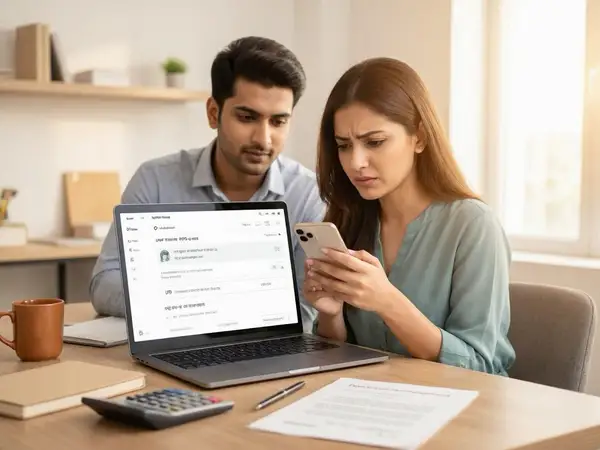
- Network Issues: Poor mobile network connectivity can delay or block OTP delivery.
- Incorrect Mobile Number or Email: If the registered mobile number or email is incorrect or outdated, the OTP will not be received.
- Server Overload: During peak application periods, UPPSC servers may experience high traffic, delaying OTP dispatch.
- SMS Blocking by Service Providers: Some telecom providers may block OTP messages thinking they are spam.
- Phone Settings: Blocking of messages from unknown numbers or Do Not Disturb (DND) services may prevent OTP reception.
How to Fix OTP Not Received Issue on UPPSC OTR
To resolve the OTP not received problem, candidates can try the following steps:
- Check Mobile Network: Ensure your phone has a stable network connection. Try switching to a different network or restarting your device.
- Verify Registered Details: Double-check the mobile number and email entered during login. If incorrect, use the update option or contact UPPSC support.
- Wait and Retry: Sometimes, OTP delivery is delayed due to server load. Wait for a few minutes before requesting a new OTP.
- Disable DND and SMS Blocking: Turn off Do Not Disturb mode and check if your mobile service provider is blocking OTP messages.
- Use Email OTP Option: If available, choose to receive OTP via email instead of SMS.
- Clear Browser Cache: Sometimes, cached data causes login issues. Clear your browser cache or try logging in using incognito mode.
- Try Different Devices or Browsers: Switching to another device or browser can help isolate the problem.
- Contact UPPSC Helpdesk: If none of the above works, reach out to UPPSC technical support for assistance.
Steps to Reset UPPSC OTR Password
For candidates who have forgotten their UPPSC OTR password or are unable to access their accounts, resetting the password is essential. Here’s how to do it:
- Visit the UPPSC OTR Login Page: Go to the official UPPSC OTR portal.
- Click on ‘Forgot Password’ Link: This option is usually located below the login fields.
- Enter Registered Mobile Number or Email: Provide the details used during registration.
- Receive OTP: An OTP will be sent to your registered mobile number or email.
- Verify OTP: Enter the OTP in the provided field to verify your identity.
- Set New Password: Create a strong password following the portal's guidelines (usually a mix of uppercase, lowercase, numbers, and special characters).
- Confirm and Submit: Submit the new password and log in using the updated credentials.
If you do not receive the OTP during this process, refer to the earlier section on fixing OTP issues.
Other Common UPPSC OTR Login Issues and Their Solutions
Besides OTP and password problems, candidates may face other login-related challenges. Here are some common issues and how to address them:
- Account Locked Due to Multiple Failed Attempts: If you enter incorrect login credentials multiple times, your account may get locked temporarily. Wait for the lock period to expire or contact UPPSC support for unlocking.
- Browser Compatibility Issues: The portal may not function properly on all browsers. Use recommended browsers like Google Chrome or Mozilla Firefox and keep them updated.
- Captcha Not Loading or Incorrect: Refresh the captcha or clear browser cache. Ensure JavaScript is enabled.
- Technical Glitches on the Portal: Sometimes, server maintenance or technical errors cause login failures. Try again after some time.
- Incorrect Date and Time Settings: Ensure your device’s date and time are set correctly, as discrepancies can cause login errors.
Tips to Avoid UPPSC OTR Login Problems
Preventive measures can save time and ensure a hassle-free login experience. Consider the following tips:
- Register with Accurate Details: Always double-check your mobile number, email, and personal information during registration.
- Keep Contact Information Updated: If you change your phone number or email, update your UPPSC profile immediately.
- Use Reliable Internet Connection: Avoid using unstable or public Wi-Fi networks during login and application submission.
- Note Down Credentials Securely: Keep your username and password in a safe place to avoid forgetting them.
- Follow UPPSC Notifications: Regularly check official UPPSC notifications for updates on portal maintenance or known issues.
- Clear Browser Cache Regularly: This helps prevent loading issues and ensures smooth navigation.
When to Contact UPPSC Support for Login Issues
If you have tried all troubleshooting steps and still face login problems on the UPPSC OTR portal, it is advisable to contact the UPPSC helpdesk. Reach out in the following situations:
- Persistent OTP delivery failure despite network and device checks.
- Account locked or inaccessible after multiple failed login attempts.
- Errors or bugs on the portal that prevent login or application submission.
- Forgotten registered mobile number or email with no option to recover.
You can find the official contact details on the UPPSC website under the 'Contact Us' section. Be ready with your registration details and a clear description of the issue for faster resolution.
Checks to complete before you apply
UPPSC OTR login problems such as OTP not received, password reset difficulties, and other technical glitches can be frustrating but are usually resolvable through simple troubleshooting steps. Ensuring accurate registration details, maintaining a stable internet connection, and following the recommended fixes outlined in this guide can significantly reduce login issues. Remember to stay patient during peak application periods when server load may cause delays. For unresolved problems, contacting UPPSC support is the best course of action. Staying informed and prepared will help you focus on your UPPSC exam preparation without unnecessary login hassles.
Frequently Asked Questions
Q1: What should I do if I do not receive the OTP on my registered mobile number?
If you do not receive the OTP, first check your network connection and ensure your mobile number is correct. Disable any SMS blocking or DND services, wait a few minutes, and request the OTP again. If the problem persists, try receiving the OTP via email or contact UPPSC support.
Q2: How can I reset my UPPSC OTR password if I forget it?
Go to the UPPSC OTR login page and click on the 'Forgot Password' link. Enter your registered mobile number or email, verify the OTP sent to you, and then set a new password as per the guidelines.
Q3: Why does my UPPSC OTR account get locked?
Your account may be locked temporarily after multiple failed login attempts to protect your data. Usually, the lock is lifted after a certain period, but you can also contact UPPSC support for assistance.
Q4: Can I use any browser to access the UPPSC OTR portal?
While most modern browsers work, Google Chrome and Mozilla Firefox are recommended for the best compatibility. Ensure your browser is updated to avoid technical issues.
Q5: Where can I find official updates about UPPSC OTR login issues?
Official updates and notifications are available on the UPPSC website and through their official communication channels. You can also check career portals like TrueJobs for timely information and guidance. For exam results and admit cards, visit /sarkari-result and /admit-card.
Related Government Job Resources
Continue with active job hubs and related government job pages on TrueJobs.
Tools for this recruitment topic
Use only the tools relevant to the dates, eligibility or documents discussed above.
TrueJobs Editorial Team
TrueJobs editorial desk
This article is prepared from the sources referenced in the guide and reviewed for clarity, links and dated information. Read our editorial and corrections policy.
Continue This Topic
Follow the closest earlier and newer coverage so older archive posts keep real contextual crawl paths.
UPSSSC OTR Registration 2026: Step-by-Step Guide to Creating Your Profile for PET & Other Exams
Discover how to register for UPSSSC OTR 2026 and create your profile for PET and other exams. Follow our detailed guide to simplify your application process.
UPPSC One Time Registration 2026: How to Create Profile, Upload Documents & Avoid Errors
A complete guide on UPPSC One Time Registration 2026: creating your profile, uploading documents, and avoiding common errors for a smooth application process.
Read Next

UPSSSC OTR Profile Edit 2026: Name, DOB and Photo Update Rules Explained

UPPSC One Time Registration 2026: How to Create Profile, Upload Documents & Avoid Errors

MP Online Profile 2026: How to Register, Update & Apply for MPESB Exams

Rajasthan SSO Forgot Password 2026: Mobile Change, OTP Issues and Recovery Steps
Explore Topics
Perfect Your Resume
Use our AI-powered Resume Builder to create ATS-optimized resumes.
AI Resume Builder