
Recruitment guide
Rajasthan SSO Forgot Password 2026: Recovery & OTP — Explained
Facing password or OTP issues on Rajasthan SSO portal? Discover easy steps for password recovery, mobile update, and OTP troubleshooting in 2026.

The Rajasthan Single Sign-On (SSO) portal is a vital gateway for residents and government employees to access a wide range of state government services online. However, users often face challenges when they forget their SSO password, change their registered mobile number, or encounter OTP (One-Time Password) issues during the login or password recovery process. This article provides a comprehensive guide to help you navigate the Rajasthan SSO forgot password process in 2026, including how to handle mobile number changes, troubleshoot OTP problems, and complete password recovery successfully.
Understanding the Rajasthan SSO Portal
The Rajasthan SSO portal (https://sso.rajasthan.gov.in) is designed to offer a unified login system for various government services such as pension management, employee attendance, application submissions, and certificate issuance. Users register with their mobile number and email ID, which are linked to their account for authentication purposes.
Since the portal is widely used for official and citizen services, maintaining access is crucial. Forgetting your password or losing access to your registered mobile number can disrupt your ability to use essential services, making it important to understand the recovery mechanisms.
Common Reasons for Rajasthan SSO Password Recovery
- Forgotten Password: Users often forget their passwords due to infrequent usage or complex password requirements.
- Mobile Number Change: Many users change their mobile numbers but forget to update them on the SSO portal, causing OTP delivery failures.
- OTP Issues: OTPs may not be received due to network problems, incorrect mobile number registration, or technical glitches on the portal.
- Account Security Concerns: Users may reset passwords if they suspect unauthorized access.
Step-by-Step Guide to Rajasthan SSO Forgot Password 2026
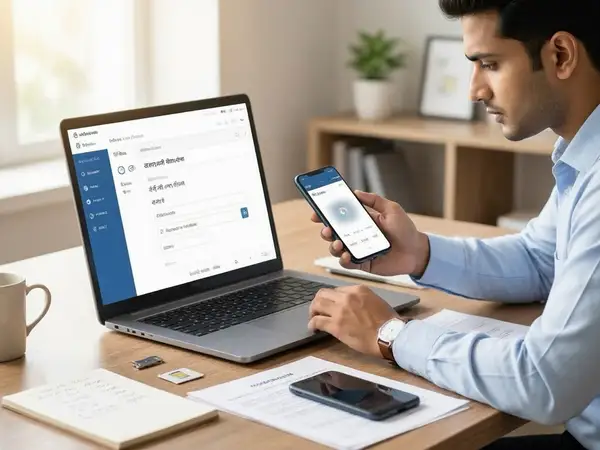
Recovering your Rajasthan SSO password involves a straightforward process, but it requires access to your registered mobile number or email. Follow these steps carefully:
- Visit the official Rajasthan SSO portal: Go to https://sso.rajasthan.gov.in.
- Click on ‘Forgot Password’ link: This option is available below the login fields.
- Enter your registered User ID or Mobile Number: Provide the details linked to your SSO account.
- Verification through OTP: An OTP will be sent to your registered mobile number or email. Enter the OTP in the provided field.
- Set a new password: After successful verification, create a new password following the portal’s password policy (usually a mix of uppercase, lowercase, numbers, and special characters).
- Login with new credentials: Use your User ID and new password to access the portal.
If you have access to your registered mobile and email, this process should be smooth and quick.
What to Do If You Have Changed Your Registered Mobile Number?
One of the most common hurdles in the password recovery process is a change in the registered mobile number without updating it on the SSO portal. Since OTPs are sent to the registered mobile, not receiving them can block your access.
Here’s how to handle this situation:
- Check if your email is registered: If your email ID is linked to the account, opt to receive OTP via email during password recovery.
- Contact Rajasthan SSO Helpdesk: Reach out to the official support team via the contact details provided on the portal. Explain your mobile number change and request assistance to update your registered mobile number.
- Visit the nearest government service center: Some services allow in-person verification to update mobile numbers linked to SSO accounts.
- Submit relevant documents: You may need to provide identity proof, a copy of your new mobile number’s SIM card, or other documents as requested by the helpdesk or service center.
Note that updating your mobile number is necessary to receive OTPs and ensure secure access to your account.
How to Resolve OTP Issues on Rajasthan SSO Portal
OTP delivery problems can arise due to various reasons, including network issues, incorrect mobile number registration, or server errors on the portal. Here are some troubleshooting tips:
- Verify your mobile number: Double-check the number you entered during the password recovery process.
- Check network connectivity: Ensure your mobile phone has proper network coverage. Try switching between mobile data and Wi-Fi if possible.
- Wait for some time: Sometimes, OTPs are delayed due to high server load or network congestion.
- Clear browser cache and cookies: This can fix issues related to web sessions and OTP requests.
- Try a different browser or device: Compatibility issues may sometimes prevent OTP generation or display.
- Contact support if OTP does not arrive: Use the official Rajasthan SSO portal’s helpdesk or call center for assistance.
Following these steps can usually resolve OTP-related problems efficiently.
Security Tips for Rajasthan SSO Users
Maintaining the security of your Rajasthan SSO account is essential to protect your personal and official information. Here are some important tips:
- Use a strong password: Combine uppercase, lowercase letters, numbers, and special characters.
- Update your registered mobile and email: Always keep your contact information current to avoid recovery issues.
- Do not share OTPs or passwords: Never disclose these to anyone, even if they claim to be officials.
- Regularly change your password: Periodic password updates enhance account security.
- Log out after use: Especially on shared or public computers.
- Monitor account activity: Report any suspicious login attempts or changes immediately.
Additional Resources and Support
If you face persistent issues with Rajasthan SSO password recovery, mobile number changes, or OTP problems, you can access further support:
- Official Rajasthan SSO Helpdesk: Available via the portal’s contact section.
- Government Service Centers: Many districts have facilitation centers to assist citizens with digital services.
- Online FAQs and User Manuals: Check the portal for updated guides and troubleshooting FAQs.
- Community Forums and Social Media: Sometimes, peer advice on platforms like Twitter or Facebook can provide quick solutions.
For related information on government exam results and admit cards, visit our sections on /sarkari-result">Sarkari Result and /admit-card">Admit Card.
Checks to complete before you apply
Accessing the Rajasthan SSO portal is essential for availing numerous government services conveniently. Forgetting your password or facing OTP issues can be frustrating, but understanding the recovery steps and how to manage changes in your registered mobile number can make the process smoother. Always keep your contact details updated, follow security best practices, and utilize official support channels when needed. By doing so, you can ensure uninterrupted access to the Rajasthan SSO portal in 2026 and beyond.
Frequently Asked Questions
Q1: What should I do if I forget my Rajasthan SSO password and do not receive an OTP?
If you do not receive an OTP during password recovery, first check your mobile network and registered number. Try requesting the OTP again after clearing browser cache or using another device. If the problem persists, contact the Rajasthan SSO helpdesk for assistance.
Q2: Can I change my registered mobile number on the Rajasthan SSO portal myself?
Currently, users cannot directly update their registered mobile numbers on the portal. You need to contact the official helpdesk or visit a government service center with valid documents to request the change.
Q3: How long does it take to reset the Rajasthan SSO password?
The password reset process typically takes a few minutes if you have access to your registered mobile or email for OTP verification. Delays may occur if you face OTP issues or need to update your mobile number.
Q4: Is it safe to share OTP or password information with anyone claiming to help?
No, you should never share your OTP or password with anyone. Official government bodies do not ask for these details over phone calls or messages. Sharing such information can lead to account compromise.
Q5: Where can I find official support contact details for Rajasthan SSO?
Official support contact details are available on the Rajasthan SSO portal under the “Contact Us” section. You can also find helpdesk numbers and email addresses there for password recovery and other issues.
Related Government Job Resources
Continue with active job hubs and related government job pages on TrueJobs.
Tools for this recruitment topic
Use only the tools relevant to the dates, eligibility or documents discussed above.
TrueJobs Editorial Team
TrueJobs editorial desk
This article is prepared from the sources referenced in the guide and reviewed for clarity, links and dated information. Read our editorial and corrections policy.
Continue This Topic
Follow the closest earlier and newer coverage so older archive posts keep real contextual crawl paths.
UPPSC One Time Registration 2026: How to Create Profile, Upload Documents & Avoid Errors
A complete guide on UPPSC One Time Registration 2026: creating your profile, uploading documents, and avoiding common errors for a smooth application process.
Rajasthan SSO ID Registration 2026: How to Create Account, Update Profile & Apply for RPSC Jobs
Discover the complete process for Rajasthan SSO ID registration 2026, profile updates, and applying for RPSC jobs. Stay ahead in your government job pursuit.
Read Next

UPPSC OTR Login Problem 2026: OTP Not Received, Password Reset and Fixes

Rajasthan SSO ID Registration 2026: How to Create Account, Update Profile & Apply for RPSC Jobs

MP Online Forgot Password 2026: Mobile Number Change and Recovery Options

Government Exam Fee Exemption 2026: Eligibility and Required Documents
Explore Topics
Perfect Your Resume
Use our AI-powered Resume Builder to create ATS-optimized resumes.
AI Resume Builder