
Recruitment guide
Thumb Impression Rules 2026: Left Thumb, Smudged — Explained
Understand the thumb impression rules for government exams 2026, including left thumb requirements, tips to avoid smudged uploads, and solutions for rejected applications.
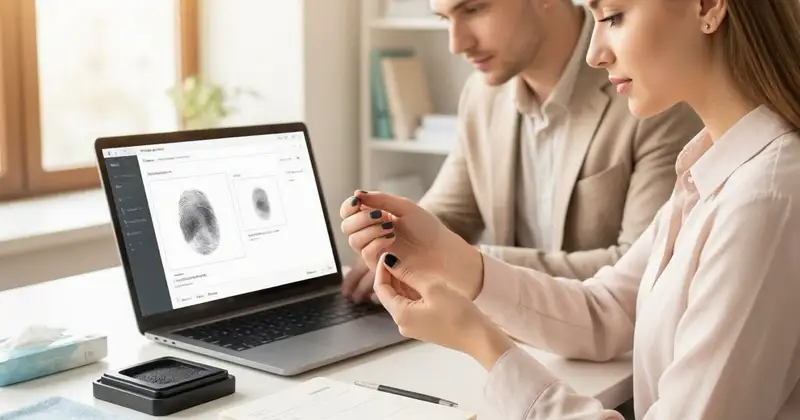
In the landscape of Indian government exams, biometric verification has become a crucial step to ensure the authenticity of candidates. One of the most common biometric requirements is the thumb impression. As we approach 2026, candidates must stay updated on the evolving thumb impression rules, particularly concerning which thumb to use, how to avoid smudged uploads, and steps to fix rejections. This comprehensive guide will help aspirants understand the nuances involved, avoid common pitfalls, and successfully complete the biometric process without hassle.
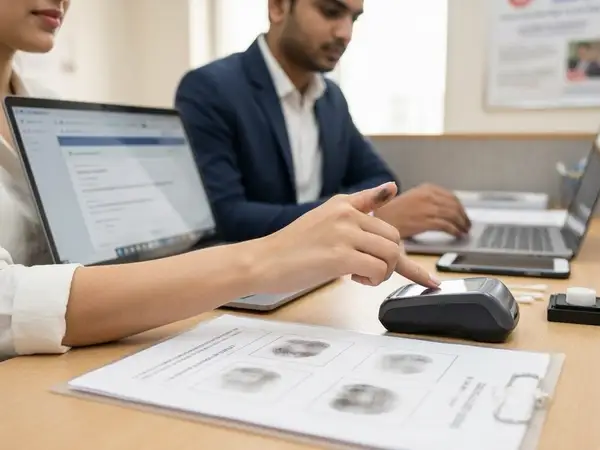
Understanding the Importance of Thumb Impressions in Government Exams
Thumb impressions serve as a biometric tool to verify the identity of candidates appearing for various government exams. The primary objective is to prevent impersonation and fraudulent practices during the recruitment process. Biometric verification, including thumb impressions, is typically required at multiple stages—application submission, admit card issuance, and examination day verification.
Given their importance, government exam authorities have set strict rules regarding the thumb impression's quality, placement, and the thumb to be used. Failure to comply may lead to application rejection or disqualification.
Which Thumb Impression is Required? Left Thumb or Right Thumb?
One of the most frequently asked questions by candidates is whether to use the left or right thumb for the impression. The rules can vary depending on the recruiting body and the specific exam. However, a growing number of government exams mandate the left thumb impression for biometric verification.

Reasons for preferring the left thumb include standardization across different exams and ease of verification. Some exams explicitly mention this in their instructions, while others may allow either thumb but recommend the left for uniformity.
Key points to remember:
- Always check the official exam notification or instructions carefully for thumb impression guidelines.
- If the left thumb is not usable due to injury or disability, candidates should inform the exam authority or use the right thumb if permitted.
- Using the wrong thumb or not following instructions can lead to rejection of the application or disqualification.
Common Issues with Thumb Impression Uploads and How to Avoid Them
Uploading thumb impressions digitally has become standard practice. However, many candidates face rejection due to poor-quality uploads. The following are common issues and tips to avoid them:
1. Smudged or Blurred Thumb Impressions
A smudged thumb impression is one where the ridges and lines are unclear, making it difficult to verify identity. This often happens due to excess ink, improper rolling of the thumb, or movement during impression capture.
How to avoid smudges:
- Use a clean, good-quality ink pad.
- Roll your thumb gently but firmly from one side to the other to capture the full print.
- Ensure the thumb is dry and clean before taking the impression.
- Practice on a white sheet before making the final impression.
2. Partial or Incomplete Impressions
Sometimes, only a part of the thumb is captured, missing critical details needed for verification. This happens if the thumb is pressed unevenly or only the tip is used.
Tips:
- Press the entire pad of the thumb evenly on the ink pad and then on the paper or digital scanner.
- Ensure the thumb is not tilted or angled while taking the impression.
3. Incorrect File Format or Size
When uploading digital thumb impressions, candidates must adhere to specified file formats (JPEG, PNG, PDF) and size limits (usually between 50 KB to 200 KB).
Recommendations:
- Scan or photograph the thumb impression with good lighting and clarity.
- Use image editing tools to crop and resize without distorting the image.
- Convert the file to the required format before uploading.
Step-by-Step Guide to Uploading Thumb Impressions Correctly
To ensure your thumb impression upload is accepted, follow these steps carefully:
- Take a Clear Impression: Use a clean ink pad and white paper. Roll your left thumb gently and steadily to capture the full print.
- Scan or Photograph the Impression: Use a scanner or a smartphone camera with high resolution. Ensure the image is well-lit and free of shadows.
- Edit the Image: Crop the image to remove excess background. Adjust brightness and contrast to enhance clarity.
- Save in the Correct Format: Convert the image to JPEG or PNG as specified by the exam authority.
- Check File Size: Compress the image if needed to meet size requirements without losing clarity.
- Upload via Official Portal: Log in to your application portal and upload the image in the designated section.
- Preview and Confirm: Always preview the uploaded image to verify clarity and completeness before final submission.
What to Do If Your Thumb Impression Upload Is Rejected?
Rejection of thumb impression uploads is common but avoidable. If your application is rejected due to thumb impression issues, here’s how to fix it:
- Check the Rejection Reason: Government exam portals usually provide specific reasons for rejection, such as smudged image, wrong thumb used, or incorrect file format.
- Retake the Impression: Follow the guidelines strictly to retake a clear and full impression.
- Rescan and Edit: Ensure the new image is properly scanned and edited to meet size and format requirements.
- Contact Helpdesk: If instructions are unclear or if you face technical issues, reach out to the exam authority’s support team promptly.
- Resubmit Within Deadline: Most exam boards provide a limited time window for corrections. Submit the corrected thumb impression before the deadline.
Special Cases: Disabilities and Alternative Verification Methods
Candidates with disabilities or injuries that prevent them from providing a left thumb impression should be aware of alternative arrangements. The government has provisions to ensure inclusivity in the recruitment process.
- Use of Right Thumb: Some exams permit the use of the right thumb if the left is not usable. Always check the official notification.
- Other Fingerprints: In rare cases, candidates may be allowed to use other fingerprints or biometric methods.
- Medical Certificate Submission: Candidates may need to submit a medical certificate explaining the disability.
- Manual Verification: Some exam centers provide manual verification options under supervision.
Tips to Ensure Smooth Thumb Impression Verification on Exam Day
Many candidates face last-minute issues during biometric verification at exam centers. Here are some tips to avoid such problems:
- Carry the same thumb (usually left) that you used during the application process.
- Keep your thumb clean and dry before the exam.
- Inform exam staff immediately if you have any injury or difficulty providing the impression.
- Arrive early to avoid rushed biometric verification.
- Follow all instructions given by exam officials carefully.
Summary Table: Thumb Impression Rules and Best Practices for 2026 Government Exams
| Aspect | Details / Guidelines |
|---|---|
| Thumb to Use | Left thumb preferred; right thumb allowed only if left is unusable |
| Image Quality | Clear, smudge-free, full impression with visible ridges |
| File Format | JPEG, PNG, or as specified by exam authority |
| File Size | Typically 50 KB to 200 KB; compress if needed |
| Common Rejection Reasons | Smudged prints, incomplete impressions, wrong thumb, incorrect file format or size |
| Correction Steps | Retake print, rescan, edit, re-upload before deadline |
| Special Cases | Use right thumb or alternative biometric verification with medical proof |
Checks to complete before you apply
Thumb impressions are a vital part of the biometric verification process in government exams, helping maintain the integrity of recruitment. Understanding the specific rules for 2026 exams—such as the preference for the left thumb, avoiding smudged or poor-quality uploads, and knowing how to correct rejections—can save candidates from unnecessary stress and potential disqualification. Always read the official instructions carefully, prepare your thumb impression with care, and seek help promptly if issues arise. Staying informed and meticulous will ensure a smooth application and exam experience.
For more updates on government exam processes and tips, visit our /sarkari-result and /admit-card pages regularly.
Frequently Asked Questions
Q1: Can I use my right thumb if the left thumb is injured?
A1: Yes, many government exams allow the use of the right thumb if the left thumb is unusable due to injury or disability. However, you must check the specific exam instructions and inform the authorities if required.
Q2: What should I do if my thumb impression upload is rejected?
A2: Review the rejection reason, retake a clear and smudge-free impression, scan or photograph it properly, and re-upload the image within the correction window provided by the exam authority.
Q3: How can I avoid smudged thumb impressions?
A3: Use a clean ink pad, roll your thumb evenly from one side to the other, avoid excess ink, and practice before making the final impression.
Q4: Is it mandatory to upload a digital thumb impression during application?
A4: Most government exams require a digital thumb impression upload as part of the application process or biometric verification. Check the official notification for specific requirements.
Q5: What file formats are accepted for thumb impression uploads?
A5: JPEG and PNG are commonly accepted formats. Always verify the accepted formats and file size limits in the exam instructions.
Related Resources
Related Government Job Resources
Continue with active job hubs and related government job pages on TrueJobs.
Tools for this recruitment topic
Use only the tools relevant to the dates, eligibility or documents discussed above.
TrueJobs Editorial Team
TrueJobs editorial desk
This article is prepared from the sources referenced in the guide and reviewed for clarity, links and dated information. Read our editorial and corrections policy.
Continue This Topic
Follow the closest earlier and newer coverage so older archive posts keep real contextual crawl paths.
Graduation Appearing vs Final Year Eligibility 2026: Which Government Exams Allow You to Apply
Confused about applying for government exams as a final year or graduation appearing candidate in 2026? Learn which exams allow you to apply and how to plan.
Exam City Slip vs Admit Card 2026: Key Differences, Uses and Common Confusion
Learn the key differences between Exam City Slip and Admit Card 2026, their uses, and how to avoid common confusion for government job exams.
Read Next

Graduation Appearing vs Final Year Eligibility 2026: Which Government Exams Allow You to Apply

Government Exam Application Status 2026: How to Check Whether Your Form Is Accepted or Rejected

RPF Constable 2026 Syllabus: Complete CBT Topics, PET Rules & Preparation Tips

Self-Declaration in Government Exams 2026: When It Is Required and How to Fill It Correctly
Explore Topics
Perfect Your Resume
Use our AI-powered Resume Builder to create ATS-optimized resumes.
AI Resume Builder