
Recruitment guide
Wrong Thumb Uploaded 2026: Left vs Right Rules — Explained
Understand the left vs right thumb impression rules for government exams in 2026. Avoid application rejection by uploading the correct thumb impression as per exam guidelines.
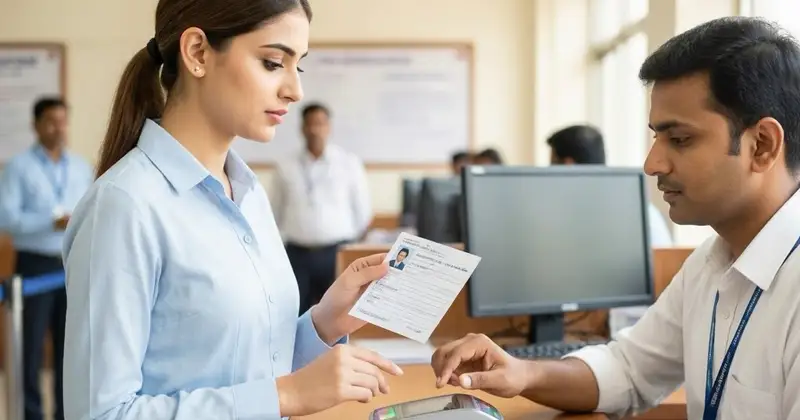
Uploading the correct thumb impression is a crucial and non-negotiable step in the application and verification process for many government exams in India. However, candidates often get confused about which thumb impression to upload—left or right. This confusion, while seemingly minor, can have major repercussions. Uploading the wrong thumb impression can lead to immediate application rejection or subsequent disqualification, causing unnecessary stress, financial loss, and significant delays in your career path. As the 2026 exam season approaches, a thorough and precise understanding of the thumb impression rules is more important than ever.

Why is Thumb Impression Important in Government Exams?
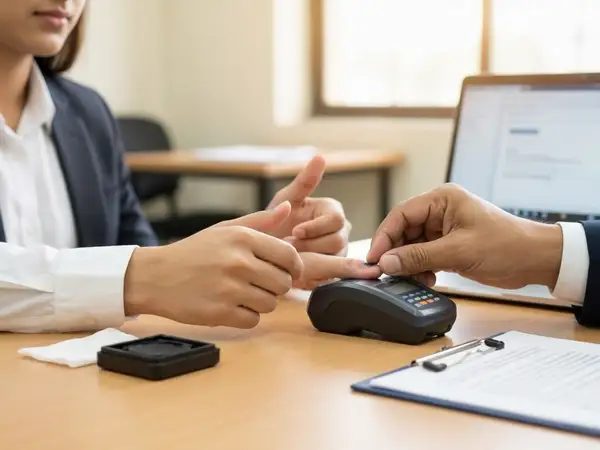
Thumb impressions serve as a primary and highly reliable biometric verification method to authenticate a candidate’s identity. Unlike signatures, thumb impressions are unique, permanent, and consistent for every individual. They provide an unforgeable biological signature. This helps exam authorities like the UPSC, SSC, and RRB to effectively prevent impersonation, fraudulent applications, and malpractices during the entire examination lifecycle—from the initial application to the final document verification. Many government exams now require candidates to upload their thumb impression digitally as a mandatory part of the online application form.
In many cases, candidates must also provide a physical thumb impression during the document verification stage. This creates a critical link between your digital identity and your physical presence. The thumb impression you upload online must be an exact match to the one you provide physically; any discrepancy can lead to disqualification on the grounds of suspected identity fraud.
Left vs Right Thumb: What Do Exam Guidelines Say?
One of the most common confusions candidates face is whether to upload the left or right thumb impression. There is no universal rule, and different exams specify different requirements. Ignoring these instructions or making an assumption can be a costly mistake. The choice is a defined part of the standard operating procedure for each recruiting body.
| Exam Name | Thumb Impression Required | Additional Notes |
|---|---|---|
| SSC CGL | Right Thumb | Right thumb impression must be clear, smudge-free, and uploaded as per the specified dimensions and file size. |
| UPSC Civil Services | Left Thumb | Not typically uploaded, but a clear left thumb impression is mandatory during document verification. |
| Railway Recruitment Board (RRB) | Right Thumb | A digital right thumb impression is mandatory during the online application process. |
| IBPS PO/Clerk | Left Thumb | Left thumb impression must be properly scanned and uploaded; verified during the joining process. |
| State PSC Exams (e.g., UPPSC, MPPSC) | Varies by state | Significant variation. Always check the official notification meticulously. |
This table serves as a general guide, but the golden rule remains: always refer to the most recent official notification of the specific exam you are applying for. Do not rely on hearsay or previous years' patterns, as protocols can change.
Understanding the Rationale Behind the Choice
While the specific reason is often an internal administrative decision, it is generally based on creating a standardized, uniform database for millions of applicants. This standardization streamlines the verification process at later stages. It is a matter of systematic efficiency rather than preference.
Common Reasons for Uploading the Wrong Thumb Impression
Despite clear instructions, candidates sometimes upload the wrong thumb impression due to avoidable reasons:
- Lack of Awareness: Skimming the official notification and missing the biometric requirements section.
- Assumptions: Assuming the requirement is the same across all exams based on a previous application.
- Technical Confusion: Not knowing how to properly scan or format the digital image.
- Last-Minute Rush: Submitting the form close to the deadline leads to hurried, unchecked actions.
How to Correct a Wrong Thumb Impression Upload?
If you realize you have uploaded the wrong thumb impression, act quickly:
- Check for an Active Correction Window: Many exams provide a short correction window after the submission deadline.
- Visit the Official Portal: Log in and look for an option to edit your biometric details.
- Contact the Helpdesk: If the window has passed, contact the exam body’s helpline or support email.
- Follow Official Instructions: You may need to submit a formal written request or affidavit.
- Re-Upload Carefully: Ensure the new scan is clear and meets all specifications.
Always keep a copy of any confirmation email or acknowledgment receipt.
Tips for Uploading the Correct Thumb Impression
To avoid errors, follow these best practices:
- Read Official Instructions: Review the exam notification thoroughly before scanning.
- Ensure a Clean Print: Wash and dry your thumb. Ensure the scanner or ink pad is clean.
- Use the Precisely Specified Thumb: If it says right thumb, use the right thumb. Do not assume.
- Scan at Proper Resolution: Use a flatbed scanner or high-quality app. Set resolution to at least 300 DPI.
- Save in Correct Format and Size: Save in the prescribed format (JPEG/PNG) and within the file size limit.
- Practice on a Draft: Do a trial run to check clarity and parameters before the final upload.
Consequences of Uploading the Wrong Thumb Impression
The repercussions can be severe:
- Instant Application Rejection: Forms with incorrect biometric data are often rejected outright.
- Disqualification at a Later Stage: A discrepancy during document verification will lead to disqualification.
- Delay in Processes: Delays in receiving your admit card or having it put on hold.
- Legal Implications: Can be viewed as a fraudulent act with longer-term implications.
Treating this step with the highest level of seriousness is critical.
Exam-Wise Thumb Impression Rules: A Detailed Overview
A deeper look at specific exam rules for 2026:
1. Staff Selection Commission (SSC) Exams
SSC exams like CGL and CHSL require the right thumb impression to be uploaded during the online application. The digital impression must match the physical one provided later during verification.
2. Union Public Service Commission (UPSC)
For UPSC Civil Services, the application form typically does not require an upload. However, candidates are required to provide a left thumb impression during the document verification and interview stages.
3. Railway Recruitment Board (RRB)
RRB exams mandate the right thumb impression during the online application. The image must adhere to strict guidelines and will be verified physically after selection.
4. Institute of Banking Personnel Selection (IBPS)
IBPS exams require the left thumb impression to be scanned and uploaded. This is verified during the joining process at the bank branch.
5. State Public Service Commissions (PSC)
Requirements vary significantly by state. For example, UPPSC may require the right thumb, while MPPSC might require the left. Check the official state PSC notification extremely carefully.
How to Scan and Upload Your Thumb Impression Correctly? A Step-by-Step Guide
Follow these steps for a error-free upload:
- Clean Your Thumb: Wash hands with soap and water and dry completely.
- Use a High-Quality Scanner or App: Use a flatbed scanner or a dedicated scanning app in good light.
- Place Your Thumb Flatly: Place the ball of your specified thumb flat on the scanner glass or paper. Do not roll it.
- Scan at Recommended Resolution: Capture the image at 300 dpi or higher for clarity.
- Edit Minimally: Crop out unnecessary background, but do not alter the impression itself.
- Save in Required Format: Save in JPEG or PNG format and reduce file size to under the limit (e.g., 50 KB).
- Upload Carefully: Use the 'preview' option to verify the image before final submission.
Checks to complete before you apply
Uploading the correct thumb impression is a vital part of the government exam process. With varying requirements, candidates must pay meticulous attention to official guidelines to avoid mistakes. The key is to verify, not assume. Check the rules for your specific exam, prepare and scan your thumb properly, and upload the correct image on time.
In 2026, ensuring accuracy in biometric details will be fundamental to a smoother application experience and will reduce the risk of rejection. Your attention to this small detail can protect months of preparation.
For more updates on government exams, admit cards, and results, visit our Sarkari Result and Admit Card sections.
Frequently Asked Questions
Q1: What happens if I upload the left thumb impression instead of the right for an exam that requires the right thumb?
This is considered a discrepancy. Your application may be rejected during initial scrutiny. If not caught then, you will almost certainly be disqualified during the physical document verification stage when the impressions do not match.
Q2: Can I change my uploaded thumb impression after submitting the form?
Yes, but only if the exam conducting body has provided a correction window. You must log in to the application portal within this period to make changes. If the window has closed, you must contact the helpdesk immediately for guidance.
Q3: Is there any difference between a thumb impression and a fingerprint?
In the context of these application forms, the terms are often used interchangeably to mean the imprint of your thumb. The requirement is always for the thumb, not another finger).
Q4: What is the best way to get a clear thumb impression scan?
Wash and dry your hands. Use a flatbed scanner at 300 DPI resolution or a high-quality mobile scanning app. Place your thumb flat without rolling it. Ensure the image is cropped to show only the thumbprint and is saved within the specified file size limit.
Q5: Do all government exams require a thumb impression upload?
No, not all. While many major exams like SSC, RRB, and IBPS do require it, others like UPSC typically require it only at a later verification stage. Always check the specific instructions for the exam you are applying for.
Related Government Job Resources
Continue with active job hubs and related government job pages on TrueJobs.
Tools for this recruitment topic
Use only the tools relevant to the dates, eligibility or documents discussed above.
TrueJobs Editorial Team
TrueJobs editorial desk
This article is prepared from the sources referenced in the guide and reviewed for clarity, links and dated information. Read our editorial and corrections policy.
Continue This Topic
Follow the closest earlier and newer coverage so older archive posts keep real contextual crawl paths.
Handwritten Declaration by Another Person 2026: Why It Can Kill Your Candidature
Submitting a handwritten declaration by another person can lead to disqualification in government jobs. Discover why and how to ensure your declaration is valid.
Thumb Impression Too Light 2026: Is Reupload Necessary for Government Job Applications?
Learn whether reuploading a light thumb impression is necessary for 2026 government job applications and how to ensure clear biometric verification.
Read Next

Handwritten Declaration in Hindi 2026: Exams Requiring English Text Only

Thumb Impression Too Light 2026: Is Reupload Necessary for Government Job Applications?

Passport Renewal, Name Change, and Exam Forms 2026: Does Passport Resolve Identity Mismatch?

Signature Different from ID Proof 2026: What Candidates Should Fix Before Exam
Explore Topics
Perfect Your Resume
Use our AI-powered Resume Builder to create ATS-optimized resumes.
AI Resume Builder