
Recruitment guide
UPSC OTR Email Change 2026: Recover Inactive Email — Explained
Struggling to access your UPSC OTR account due to an inactive email? Discover how to recover or change your UPSC email in 2026 with our detailed guide.

The Union Public Service Commission (UPSC) Online Tracking Registration (OTR) system is an essential platform for candidates aspiring to appear for various UPSC examinations, including the prestigious Civil Services Exam. A crucial aspect of the OTR profile is the registered email address, which is used for communication, application updates, password recovery, and other important notifications. However, what if the email linked to your UPSC OTR profile becomes inactive or inaccessible? This can pose a significant challenge during the application process or while retrieving your account details.
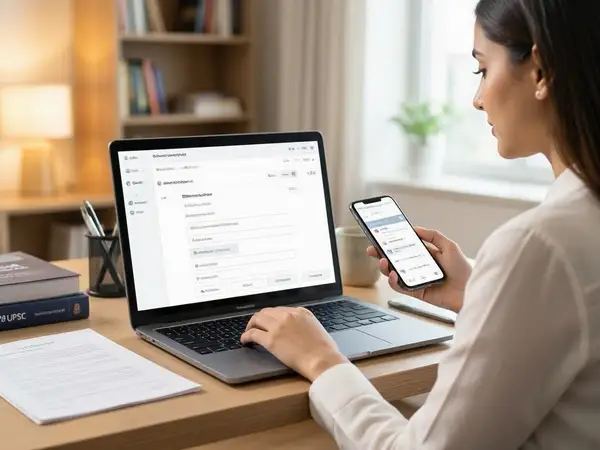
In this comprehensive guide, we will walk you through the steps to change your UPSC OTR email address in 2026 and how to recover access if your old email is inactive. This article will cover everything from understanding the importance of your registered email to detailed recovery procedures, preventive tips, and answers to frequently asked questions.
Understanding UPSC OTR and the Importance of Registered Email
The UPSC OTR portal is where candidates create their profiles before applying for any UPSC examination. The email address provided during registration plays a pivotal role in the following ways:
- Communication: Official notifications, exam updates, and important announcements are sent via email.
- Password Recovery: In case you forget your login credentials, the recovery link or OTP is sent to your registered email.
- Application Verification: Email verification is mandatory to activate your OTR profile and proceed with applications.
- Document Submission: Sometimes, UPSC may send requests or clarifications through email.

Due to these reasons, having access to your registered email is critical. Losing access can hinder your exam preparation journey and even risk missing important deadlines.
Can You Change Your Registered Email on UPSC OTR?
Unlike many other online portals, UPSC does not provide a direct option to change the registered email address once the OTR profile is created. The email ID you use to register your OTR account remains linked to your profile throughout the process.
However, if your registered email becomes inactive or inaccessible, you still have some options to recover your account or create a new OTR profile. But before attempting these, it is important to understand UPSC’s guidelines and rules regarding multiple registrations and email changes.
Steps to Recover Access if Your Old UPSC OTR Email Is Inactive
If you have lost access to your registered email, follow these steps carefully to regain control or proceed with your UPSC application:
1. Attempt to Recover Your Old Email Account
Before trying to change your UPSC OTR email, try to recover your old email account using the email service provider’s recovery options. Most email providers offer ways to regain access through:
- Alternate email addresses
- Registered phone numbers for OTP verification
- Security questions
- Account recovery forms
Recovering your old email is the simplest and most recommended solution as it allows you to continue using your existing UPSC OTR profile without complications.
2. Use UPSC OTR Password Recovery Feature
If you remember your registered email but forgot your password, use the 'Forgot Password' option on the UPSC OTR login page. The password reset link or OTP will be sent to your registered email. If the email is inactive and you cannot receive the reset mail, proceed to the next steps.
3. Contact UPSC Helpdesk for Support
If your email is inactive and you cannot recover it, contact the UPSC helpdesk or support team. Provide them with your registration details, such as your full name, date of birth, application number (if any), and other identification details.
UPSC support may guide you with the following:
- Verification process to confirm your identity
- Possible options to update your email or create a new profile
- Clarification on policies regarding multiple accounts
Note that UPSC’s official communication channels are limited, and responses might take time, so initiate this process well before application deadlines.
4. Create a New UPSC OTR Profile with a New Email
If all else fails and UPSC support confirms you cannot change your email on the existing profile, you may consider creating a new OTR profile using a new, active email address. However, be cautious:
- UPSC prohibits multiple registrations for the same exam cycle. Having multiple profiles can lead to disqualification.
- Ensure that you use unique personal details and avoid duplicate applications.
- Inform UPSC helpdesk about your new profile creation to avoid confusion.
Creating a new profile should be your last resort and done only after consulting with UPSC officials.
Preventive Tips to Avoid Email Inaccessibility Issues
To prevent future problems related to your registered email on UPSC OTR, consider these best practices:
- Use a Permanent Email Address: Register with an email that you plan to use long-term, preferably a personal Gmail or similar account.
- Keep Email Recovery Options Updated: Set up alternate recovery emails and phone numbers for your email account.
- Regularly Check Your Email: Stay updated with UPSC emails to avoid missing important notifications.
- Backup Important Emails: Save or print confirmation emails and application details for offline reference.
- Avoid Multiple Registrations: Stick to one profile per exam cycle to avoid complications.
How to Update Email for Future UPSC Applications
While UPSC does not allow changing the registered email on an existing OTR profile, for future applications, you can follow these tips:
- Before creating a new OTR profile, ensure your email is active and accessible.
- Use a professional and permanent email ID to avoid changing it frequently.
- In case you need to update your email for other government job portals, check their specific guidelines.
For related updates on UPSC application processes, visit our /sarkari-result and /admit-card pages.
Common Issues Faced During UPSC OTR Email Recovery
Many candidates face challenges when their registered email becomes inactive. Some common issues include:
- Non-availability of direct email change option: UPSC’s system does not support changing the registered email directly.
- Delayed response from UPSC helpdesk: Due to high volumes, support responses may take time.
- Risk of duplicate registrations: Creating new profiles without UPSC’s permission can lead to disqualification.
- Inability to receive OTPs or reset links: If email is inactive, OTPs cannot be received, blocking password reset.
Understanding these issues helps you prepare better and avoid last-minute problems.
Checks to complete before you apply
Maintaining access to your registered email on the UPSC OTR portal is crucial for a smooth examination journey. If your old email becomes inactive, the first step is to try recovering that email account. If unsuccessful, contact UPSC helpdesk promptly for guidance. Creating a new OTR profile should only be considered after confirming it will not violate UPSC rules.
By following the preventive tips and understanding the recovery process, you can avoid unnecessary stress and focus on your UPSC exam preparation. Stay vigilant, keep your contact details updated, and monitor official UPSC communications regularly.
Frequently Asked Questions
Q1: Can I change my registered email on UPSC OTR after registration?
No, UPSC does not provide an option to change the registered email on an existing OTR profile. You must use the same email throughout the application process.
Q2: What should I do if my registered email is inactive and I forgot my UPSC OTR password?
Try to recover your email account first. If that is not possible, contact UPSC helpdesk with your details for assistance. Avoid creating multiple profiles without UPSC’s permission.
Q3: Is it safe to create a new UPSC OTR profile with a different email?
Creating a new profile is not recommended unless you have lost access to your old profile and have confirmed with UPSC that it will not lead to disqualification. Multiple registrations are generally prohibited.
Q4: How can I contact UPSC helpdesk for email-related issues?
You can contact UPSC via the official website’s contact page or through their helpline numbers and email addresses provided in the official notifications.
Q5: What are the best practices to avoid email access problems for UPSC OTR?
Use a permanent and reliable email address, update recovery options regularly, monitor your inbox, and save important communication offline to avoid issues.
Related Resources
Related Government Job Resources
Continue with active job hubs and related government job pages on TrueJobs.
Tools for this recruitment topic
Use only the tools relevant to the dates, eligibility or documents discussed above.
TrueJobs Editorial Team
TrueJobs editorial desk
This article is prepared from the sources referenced in the guide and reviewed for clarity, links and dated information. Read our editorial and corrections policy.
Continue This Topic
Follow the closest earlier and newer coverage so older archive posts keep real contextual crawl paths.
UPSC Exam Application Withdrawn by Mistake 2026: Can It Be Restored?
Mistakenly withdrawn your UPSC 2026 application? Discover if restoration is possible, what steps to take, and how to avoid such issues in future UPSC exam applications.
UPSC OTR Mobile Number Change 2026: OTP, Recovery and Login Problems Explained
Facing issues with UPSC OTR mobile number change, OTP, or login? Get a comprehensive guide on how to update your number, recover your account, and troubleshoot problems.
Read Next

UPSC Exam Application Withdrawn by Mistake 2026: Can It Be Restored?

UPSC OTR Mobile Number Change 2026: OTP, Recovery and Login Problems Explained

UPSC Multiple Applications 2026: Which Form Is Treated as Final?

UPSC OTR 2026: How to Edit Personal Particulars Before and After Final Submission
Explore Topics
Perfect Your Resume
Use our AI-powered Resume Builder to create ATS-optimized resumes.
AI Resume Builder