
Recruitment guide
RRB Photo Upload 2026: Guidelines & Common Errors — Explained
A comprehensive guide on RRB application photo upload 2026 covering background, cropping, and common errors to avoid for successful application submission.

The Railway Recruitment Board (RRB) application process for 2026 continues to attract millions of aspirants across India aiming for lucrative government jobs in the railway sector. One of the critical steps in the online application process is uploading a passport-sized photograph that meets the specified criteria. Incorrect photo uploads often lead to application rejection or delays, making it essential for candidates to understand the guidelines thoroughly. In this comprehensive guide, we will walk you through everything you need to know about the RRB application photo upload for 2026, including background specifications, cropping instructions, and the most common upload errors to avoid.
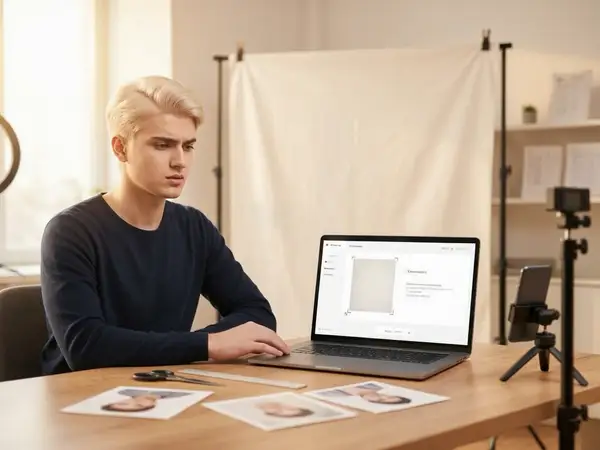
Understanding RRB Photo Upload Requirements
The RRB mandates strict guidelines for the photograph uploaded during the application process to ensure uniformity and clarity in candidate identification. The photograph plays a vital role not only during application verification but also at the examination and document verification stages.
Here are the primary photo requirements for RRB application 2026:
- Photo Size: The digital photo size should be between 20 KB and 50 KB.
- Format: JPEG/JPG format is preferred.
- Dimensions: The photograph should be 35 mm (width) x 45 mm (height).
- Background: The background should be plain white or light-colored without shadows or patterns.
- Recent Photograph: Only a recent photograph (taken within the last 6 months) is accepted.
- Face Position: The candidate’s face should be clearly visible, front-facing, and without any headgear unless for religious reasons.
- Expression: Neutral expression with eyes open and mouth closed.
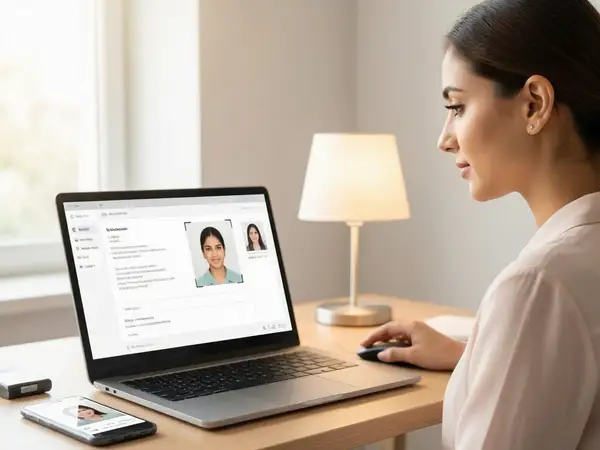
Adhering to these specifications is crucial to avoid rejection during the application screening process.
Background Specifications for RRB Application Photo
The background of the photograph is one of the most common reasons for photo rejection. RRB clearly states that the background must be plain white or a very light color. Here’s why background matters and how to get it right:
- Why Plain Background? A plain background helps in clear visibility of the candidate’s face and avoids distractions during verification.
- Light Color Preference: If white is not feasible, very light shades like cream or pale blue may be accepted, but white is strongly recommended.
- Avoid Shadows and Patterns: Shadows, gradients, or any patterns on the background can cause the photo to be rejected.
- Uniform Lighting: Ensure the photo is taken in well-lit conditions to avoid shadows on the face or background.
Pro Tip: If you are taking the photo at home, use a white sheet or wall as the background and ensure even lighting without shadows.
Correct Cropping and Photo Dimensions
Cropping your photo correctly is essential to meet RRB’s dimension requirements. Improper cropping can lead to rejection or a blurry image that hampers verification.
Key points for cropping:
- The photo should be 35 mm wide and 45 mm tall, which is the standard passport size.
- The face should occupy approximately 70-80% of the photo frame.
- Crop the photo such that the top of the head to the chin is clearly visible with some space above the head.
- Do not crop too close to the face or leave too much background space.
- Ensure the face is centered in the photo.
Many candidates use photo editing software or online tools to crop images. While these tools are helpful, ensure that the resolution remains high and the file size is within the specified limits.
How to Upload Your Photo Correctly in RRB Application 2026
Uploading the photo correctly is as important as meeting the photo specifications. Follow these steps for a smooth upload:
- Scan or click a digital photo: Ensure it meets the size, format, and background criteria.
- Resize and crop: Use trusted photo editing software or online tools to resize and crop the photo to 35x45 mm.
- Check file size: Compress the image if necessary to keep it within 20-50 KB.
- File format: Save the image as JPG or JPEG.
- Upload on the application portal: Login to your RRB application account, navigate to the photo upload section, and select the image file.
- Preview: Always preview the uploaded image to check if it appears clear and correctly positioned.
- Submit: Complete the upload and proceed with other application steps.
Remember, once the application is submitted, photo changes are typically not allowed, so double-check before final submission.
Common Photo Upload Errors and How to Avoid Them
Many candidates face issues during the photo upload process, leading to application rejection or delays. Here are the most frequent errors and tips to avoid them:
| Error | Description | How to Avoid |
|---|---|---|
| Incorrect Photo Size | Photo size is either too large or too small (outside 20-50 KB range). | Use image compression tools and adjust resolution to maintain the size limit. |
| Wrong Dimensions | Photo dimensions do not match 35 mm x 45 mm requirement. | Use photo cropping tools with dimension presets or manual settings. |
| Non-Plain Background | Background has patterns, shadows, or colors other than white/light shade. | Retake photo against a plain white/light background with uniform lighting. |
| Face Not Clearly Visible | Face is blurred, shadowed, or partially covered by hair/headgear. | Use a clear, front-facing photo with no obstructions and good lighting. |
| Wrong File Format | Photo uploaded in formats other than JPG or JPEG. | Convert the image to JPG/JPEG before uploading. |
| Exceeding Upload Attempts | Multiple failed upload attempts leading to application lock. | Prepare photo as per guidelines before upload to avoid repeated errors. |
Tips for Capturing the Perfect RRB Application Photo
Taking a compliant photograph is easier with some preparation. Here are practical tips to help you capture the perfect photo for your RRB application:
- Use a professional photographer: If possible, get your photo clicked by a professional familiar with passport photo standards.
- Natural Lighting: Take the photo in daylight or a well-lit room to avoid shadows.
- Neutral Expression: Keep a calm face with eyes open and mouth closed.
- Dress Code: Wear simple attire; avoid uniforms or accessories that may obscure your face.
- Check for Reflections: Remove glasses or ensure no glare on lenses.
- Background Setup: Use a plain white sheet or wall as the background.
- Multiple Shots: Take several photos to choose the best one.
Following these tips will reduce the chances of rejection and save you from re-uploading hassles.
What Happens If Your Photo Is Rejected?
If the RRB finds your photo does not meet the required standards, your application may be rejected or put on hold. Here’s what you should know:
- Notification: RRB may notify candidates via email or SMS about the photo rejection.
- Correction Window: Some RRBs provide a correction window to re-upload the photograph.
- Application Rejection: Failure to upload the correct photo within the correction period can lead to application rejection.
- Impact on Admit Card: Admit cards may not be issued if the photo is invalid.
To avoid these issues, ensure your photo meets all specifications before the initial upload.
Checks to complete before you apply
The photo upload step in the RRB application process for 2026 is a small but critical task that requires attention to detail. Understanding the background requirements, proper cropping, and avoiding common errors can make your application process smoother and increase your chances of acceptance. Always use a recent, clear, and correctly sized photograph with a plain white background to meet RRB standards. Taking the time to prepare your photo correctly will save you from unnecessary delays and complications. For more updates on RRB recruitment and other government job notifications, keep visiting TrueJobs.co.in.
Frequently Asked Questions
Q1: What is the required photo size for RRB application 2026?
The photo size should be between 20 KB and 50 KB, in JPEG/JPG format with dimensions 35 mm x 45 mm.
Q2: Can I upload a photo with a colored background?
No, the background must be plain white or a very light color without any shadows or patterns.
Q3: What if my photo is rejected after uploading?
If rejected, RRB may provide a correction window to re-upload the photo. Failure to do so may lead to application rejection.
Q4: Is it necessary to have a recent photograph for the application?
Yes, the photograph must be recent, ideally taken within the last six months to reflect your current appearance.
Q5: How do I reduce the photo file size without losing quality?
You can use online image compression tools or photo editing software to reduce file size while maintaining clarity.
For more details on RRB exam processes and admit card updates, check out our related sections /admit-card and /sarkari-result.
Related Resources
Related Government Job Resources
Continue with active job hubs and related government job pages on TrueJobs.
Tools for this recruitment topic
Use only the tools relevant to the dates, eligibility or documents discussed above.
TrueJobs Editorial Team
TrueJobs editorial desk
This article is prepared from the sources referenced in the guide and reviewed for clarity, links and dated information. Read our editorial and corrections policy.
Continue This Topic
Follow the closest earlier and newer coverage so older archive posts keep real contextual crawl paths.
RRB Signature Upload 2026: Size, File Type and Mismatch Problems Explained
Get complete details on RRB signature upload for 2026. Understand size, file type requirements, and solutions for mismatch issues to avoid application rejection.
IBPS Provisional Registration Number Lost 2026: How to Retrieve It Quickly
Lost your IBPS Provisional Registration Number for 2026? Discover quick methods to retrieve it and continue your exam journey without stress.
Read Next

RRB Application Fee Refund 2026: Who Gets It, When It Comes and Why It May Fail

IBPS Photo, Signature, Thumb and Declaration 2026: Correct File Size & Format Guide

RRB Registered Mobile Number Changed 2026: How to Recover Login Access Easily

IBPS Payment Interrupted 2026: Double Charge, Retry and Refund Timeline Explained
Explore Topics
Perfect Your Resume
Use our AI-powered Resume Builder to create ATS-optimized resumes.
AI Resume Builder