
Recruitment guide
Masked Aadhaar for Exams 2026: Download & Acceptance — Explained
Discover how to download Masked Aadhaar and when it is accepted at exam centres in 2026. Protect your privacy while using Aadhaar as valid ID proof.

The Aadhaar card has become an indispensable identity document for availing a vast array of government and private services in India. With the increasing need for privacy and data security in the digital age, the Unique Identification Authority of India (UIDAI) introduced the concept of Masked Aadhaar. This innovative version of Aadhaar is designed to protect sensitive personal information while still serving as a fully valid and legally recognized identity proof. As we look ahead to 2026, a growing number of exam centres for competitive and government recruitment tests are formally accepting Masked Aadhaar as a valid ID proof for candidates.
This comprehensive article will serve as your definitive guide, explaining what Masked Aadhaar is, detailing the step-by-step process to download it, and clarifying the specific scenarios and exam types where it is accepted at test centres.

Masked Aadhaar for Exam Centres 2026: How to Download and When It Is Accepted
What is Masked Aadhaar?
Masked Aadhaar is a secure variant of the standard Aadhaar card that is specifically designed to conceal the first eight digits of the 12-digit unique Aadhaar number, displaying only the last four digits in a clear and readable format. This strategic partial masking is a crucial privacy-enhancing feature that helps protect the individual's core identity number from potential misuse while meticulously maintaining the document’s full validity and authenticity as an identity proof. All other critical personal details, including the individual's full name, recent photograph, registered address, date of birth, and gender, remain fully visible and legible on the Masked Aadhaar card, ensuring it fulfills all standard verification requirements.
Officially introduced and promoted by the UIDAI, Masked Aadhaar is particularly useful for everyday situations where you need to conclusively prove your identity but understandably do not want to disclose your full Aadhaar number due to legitimate security concerns. It represents a balanced approach between convenience and personal data protection, making it an ideal document for public settings like examination halls.
The Legal Standing of Masked Aadhaar
It is important for candidates to understand that a Masked Aadhaar card is not an inferior or alternative document; it holds the same legal validity as a standard Aadhaar card for the purpose of identity verification. The UIDAI has explicitly stated that any entity requiring an Aadhaar for identity verification is obligated to accept the Masked Aadhaar version where only the last four digits are visible. This ensures that your fundamental right to privacy is upheld without compromising on your ability to authenticate your identity for essential services, including examination entry. This legal backing is derived from the Aadhaar Act and subsequent regulations issued by the authority, making it a robust and reliable document.
Masked Aadhaar vs. e-Aadhaar: Understanding the Difference
Many candidates often conflate Masked Aadhaar with e-Aadhaar, but they serve distinct purposes. An e-Aadhaar is simply a digital, password-protected PDF version of your standard Aadhaar card that displays the full 12-digit number. It is electronically signed by the UIDAI and is valid across India. A Masked Aadhaar, on the other hand, is a specific type of e-Aadhaar where the first eight digits are hidden. Essentially, all Masked Aadhaar documents are e-Aadhaar, but not all e-Aadhaar documents are masked. For exam centres where privacy is a priority, the masked variant is the recommended and more secure choice.
Why Use Masked Aadhaar for Exam Centres?
With the growing public and institutional awareness around data privacy and the implementation of stricter data protection guidelines, many exam conducting authorities now actively accept and sometimes even recommend the use of Masked Aadhaar as a valid form of ID proof. Here are some of the pivotal reasons why using Masked Aadhaar is a prudent and beneficial choice at exam centres:

- Enhanced Data Privacy: Masked Aadhaar proactively protects your full 12-digit Aadhaar number from being exposed to multiple individuals at crowded exam centres, significantly reducing the potential risk of misuse, unauthorized tracking, or identity theft. In an era of increasing digital fraud, this layer of protection is invaluable.
- Valid Identity Proof: It is officially recognized and endorsed by the UIDAI itself and is consequently accepted by a wide range of government bodies, public sector undertakings, and independent exam authorities across the country. Its validity is not a matter of discretion but of official policy.
- Convenience and Peace of Mind: Candidates can confidently carry their Masked Aadhaar to the exam venue without experiencing the constant worry of exposing their most sensitive personal information to strangers, allowing them to focus better on their exam preparation and performance.
- Compliance with Regulations: Some forward-thinking exam authorities are now beginning to mandate or strongly encourage the use of Masked Aadhaar to comply with evolving data protection guidelines and to demonstrate their commitment to candidate privacy, aligning with the spirit of India's Digital Personal Data Protection Act.
- Universal Acceptance: Unlike some regional ID cards, Aadhaar is a pan-India document. Using its masked version ensures you have a nationally recognized ID that is understood and accepted by invigilation staff from any state or union territory.
How to Download Masked Aadhaar for Exam Centres 2026
Downloading your Masked Aadhaar is a straightforward and user-friendly process that can be completed entirely online via the official UIDAI website or the mAadhaar mobile application. Follow these detailed, step-by-step instructions to successfully download your Masked Aadhaar well before your exam date to avoid any last-minute technical hassles.
Prerequisites for Download
Before you initiate the download process, ensure you have the following prerequisites ready. Having these details at hand will make the process smooth and efficient:
- Your 12-digit Aadhaar Number, or a 16-digit Virtual ID (VID), or a 28-digit Enrolment ID (EID) from your enrolment slip.
- Your full name exactly as it appears on your Aadhaar card, including the correct spelling and any middle names or initials.
- Your PIN code of the registered address. This is a crucial verification field, so ensure it is accurate.
- Your mobile number that is actively linked and registered with your Aadhaar for OTP authentication. This number is essential for the process.
- A stable internet connection and a device (computer, laptop, or smartphone) to download and later print the PDF document.
Step 1: Visit the Official UIDAI Website
Open your preferred web browser and navigate to the official UIDAI portal at https://uidai.gov.in. Always ensure you are on the genuine government website by checking for the 'https://' prefix and the padlock symbol in the address bar to avoid phishing scams that attempt to steal your personal data.
Step 2: Navigate to the 'Download Aadhaar' Section
On the homepage, locate the 'My Aadhaar' dropdown menu. From the extensive list of options, find and click on the 'Download Aadhaar' link. This action will securely redirect you to the dedicated download portal (https://eaadhaar.uidai.gov.in/), which is the official platform for retrieving your Aadhaar document.
Step 3: Enter Your Aadhaar Details Accurately
You will be presented with a secure form. Provide the required information meticulously. You can choose to provide your 12-digit Aadhaar number, or alternatively, your 16-digit Virtual ID (VID), or your 28-digit Enrolment ID (EID). You must also accurately enter your full name (as per Aadhaar), the PIN code of your registered address, and the captcha code displayed on the screen for security verification. Double-check each field for typos before proceeding.
Step 4: Select the Masked Aadhaar Option
This is the most critical step that differentiates this process from downloading a standard Aadhaar. Before clicking the 'Submit' or 'Send OTP' button, you must ensure you select the specific checkbox or toggle option that says 'I want a Masked Aadhaar'. This explicit action instructs the system to generate the privacy-focused version with the first eight digits masked. If you accidentally skip this step, you will download the standard Aadhaar with all twelve digits fully visible.
Step 5: Verify Your Identity via OTP
After confirming the Masked Aadhaar option, click on 'Send OTP'. A secure One-Time Password (OTP) will be sent instantly via SMS to your mobile number that is registered with UIDAI. Enter this 6-digit OTP carefully in the provided field on the website within the stipulated time limit (usually 10 minutes) to authenticate your request and prove that you are the legitimate holder of the Aadhaar number.
Step 6: Download and Securely Print Your Document
Once your OTP is successfully verified, your browser will automatically initiate the download of your Masked Aadhaar in a PDF file format. It is crucial to note that this PDF is password protected to add an extra layer of security against unauthorized digital access. The password is always the first four letters of your name (as per Aadhaar) in CAPITAL letters followed by your birth year in a four-digit format (YYYY). For example, if your name is 'Rahul Kumar' and your birth year is 1990, your password will be 'RAHU1990'. Do not include your surname.
Finally, print the downloaded PDF on a clean, white A4-size paper. Ensure the print is of high quality, with sharp text and a clear, recognizable photograph. The QR code must be perfectly legible for smooth and swift biometric verification at the exam centre. It is advisable to keep both a digital copy saved on your phone and multiple physical copies in different folders as a backup.
Downloading via the mAadhaar App
For candidates who prefer using their smartphones, the official mAadhaar app provides a convenient alternative. After downloading the app from the Google Play Store or Apple App Store and registering your profile, you can navigate to the 'Download Aadhaar' section within the app. The process is similar: verify yourself, select the 'Masked Aadhaar' option, and download the PDF directly to your phone, which you can then transfer to a computer for printing.
When Is Masked Aadhaar Accepted at Exam Centres?
While the acceptance of Masked Aadhaar is becoming increasingly widespread, it remains absolutely essential for every candidate to confirm the specific identity proof requirements mandated by their particular exam's conducting authority. The general trend for 2026 is towards greater acceptance, but always defer to the official exam notification. Generally, you can expect Masked Aadhaar to be accepted in the following common scenarios for the 2026 examination cycle:
- Major Competitive Exams: Numerous national-level government exams conducted by premier bodies like the Staff Selection Commission (SSC) for various posts, Railway Recruitment Boards (RRBs) for railway jobs, and banking exams conducted by IBPS and SBI routinely accept Masked Aadhaar as a valid photo ID for entry and verification.
- Higher Education Entrance Exams: Entrance examinations for prestigious professional courses (e.g., JEE Main/Advanced for engineering, NEET-UG for medical studies) and other national-level tests may accept Masked Aadhaar if it is explicitly listed in the official exam brochure or detailed information bulletin as an acceptable ID proof.
- Central and State Government Job Exams: The majority of central government examinations (e.g., UPSC CDS, CAPF) and state government public service commission examinations (like UPPSC, MPPSC, TNPSC) have adopted policies to accept Masked Aadhaar to protect candidates’ privacy during the verification process at often very large and busy exam centres.
- On-the-Spot Verification: Masked Aadhaar is perfectly suitable for both visual identity confirmation by an invigilator and for biometric verification purposes using the secure QR code, which contains all necessary details in an encrypted format that can be scanned by authorized officials.
- Recruitment in Public Sector Undertakings (PSUs): Many PSUs like ONGC, BHEL, and SAIL also list Aadhaar as valid ID and typically accept its masked version for their recruitment drives.
However, a golden rule for all candidates is to always, without exception, check the latest official exam notification, detailed information brochure, or specific instructions mentioned on the admit card to verify beyond doubt if Masked Aadhaar is an accepted document for the particular exam they are appearing for. A small minority of exams may still require the full Aadhaar card or might specify a different set of primary ID proofs. When in doubt, carrying both the masked and standard versions, along with another government ID, is the safest strategy.
Documents Accepted Alongside Masked Aadhaar
To ensure a seamless and hassle-free experience, it is a highly recommended best practice for candidates to carry additional supporting documents alongside their Masked Aadhaar. This is not because Masked Aadhaar is insufficient, but to preempt any unforeseen circumstances or overly cautious verification staff. In some cases, exam centre invigilators or verification staff may request a second document for cross-verification, especially if there is a minor discrepancy in the photograph or other details. The following are universally accepted photo ID proofs that you should consider carrying as a backup:
- Indian Passport
- Voter ID Card issued by the Election Commission of India
- Driving Licence (Smart Card issued by RTO)
- Permanent Account Number (PAN) Card
- Official School/College ID Card (must contain a clear photograph and be valid)
- Government Employee ID Card (for those already in service)
- Any other photo ID card issued by a Central/State Government or its departments
It is always advisable to carry at least one or two of these valid secondary photo ID proofs in addition to your Masked Aadhaar to preemptively avoid any last-minute issues, debates, or entry denials at the exam centre gate. This prepares you for any contingency and reduces pre-exam stress.
Security Features of Masked Aadhaar
Masked Aadhaar is not a simple redacted document; it is an officially issued, secure document that retains all the sophisticated security features of the standard Aadhaar card while ingeniously ensuring superior privacy. Understanding these features can give you confidence in its use. Some of its key security and authenticity features include:
- Intelligent Partial Masking: The first eight digits of the Aadhaar number are permanently hidden using an asterisk (*) or 'X' symbol, leaving only the last 4 digits visible. This is sufficient for officials to reference the document without exposing the core identity number to unnecessary risk.
- Dynamic QR Code: The document contains a secure, time-based QR code that holds encrypted information including your photograph and all demographic details. This can be scanned by authorized officials using UIDAI-approved apps or registered devices for instant and secure verification, confirming the document's authenticity in seconds.
- Clear Photograph and Demographics: All vital details like your full name, date of birth, gender, and complete address remain fully accessible to visually confirm your identity against the details on the admit card and the candidate present.
- PDF Password Protection: The downloaded PDF file is protected with a personalized password based on your name and year of birth, preventing unauthorized access if the digital file is lost, stolen, or accidentally shared. This protects your data in the digital realm.
- Online Verification: The authenticity of any Masked Aadhaar can be independently verified online by authorities through the 'Verify Aadhaar' feature on the UIDAI portal or via their official mobile app. This allows them to confirm the document is genuine and has not been tampered with.
- Micro Text and Ghost Image: Like the standard card, the Masked Aadhaar PDF contains sophisticated security printing features like micro text (the word "Aadhaar" in tiny letters) and a faint ghost image of the holder, which are difficult to forge.
Common Issues and Solutions While Downloading Masked Aadhaar
Some candidates may occasionally encounter technical issues when attempting to download their Masked Aadhaar. Being prepared for these hiccups can save valuable time and prevent frustration. Below is a detailed table outlining common problems, their likely causes, and practical, actionable solutions:
| Issue | Possible Cause | Solution |
|---|---|---|
| OTP Not Received on Mobile | Mobile number is not linked to Aadhaar or there are temporary network/SMS delivery issues, or the number is on a Do Not Disturb (DND) list. | First, ensure your mobile number is registered with UIDAI. You can verify this online or at an enrolment centre. If it is registered, wait a few minutes and try the 'Resend OTP' option. Ensure your phone has good signal, is not on DND for transactional messages, and has sufficient storage for new SMS. |
| Error: Details Mismatch | There is a typo or a mismatch in the name, date of birth, or PIN code entered compared to the official UIDAI database records. Even an extra space can cause an error. | Double-check and re-enter every detail with extreme care. Use the exact spelling, capitalization, and spacing as it appears on your Aadhaar card or acknowledgement slip. Avoid using nicknames or short forms. For the name field, try using only the first name as it appears if the full name causes an error. |
| PDF File Password Not Working | Using an incorrect password format or making a capitalization error. A common mistake is using the surname or the entire name. | The password is strictly the first four letters of your name in CAPITAL letters followed by your birth year in YYYY format. For example, for 'Rahul Kumar' born in 1990, it is 'RAHU1990'. For a name shorter than four letters, like 'Ai', use the entire name in capitals followed by the year (e.g., 'AI1990'). Do not include your surname. |
| UIDAI Website Not Loading or Crashing | High traffic on the server causing overload, or the site is under scheduled maintenance. It could also be a local internet issue. | Try accessing the website during off-peak hours, such as late evening or early morning. Clear your browser cache and cookies, use a different internet browser (Chrome, Firefox, Edge), or try again from a different device or network. Check the UIDAI Twitter handle for any announced maintenance downtime. |
| Unable to Process Request Error | This could be a temporary glitch on the UIDAI server, an issue with the enrolment data, or an incorrect Enrolment ID (EID) being used long after the Aadhaar was generated. | Wait for a few hours and attempt the process again. If using an EID, try using your actual Aadhaar number or Virtual ID (VID) instead. If the problem persists, you may need to contact the UIDAI helpline (1947) or visit your nearest Aadhaar Seva Kendra for assistance and to verify your biometric data. |
| Masked Aadhaar Option Not Visible | The user might be on an outdated portal page or might have missed the toggle/checkbox. | Ensure you are on the official eaadhaar.uidai.gov.in website. The option is usually a clear checkbox labeled "I want a Masked Aadhaar" located near the data entry fields. Look for it carefully before submitting. |
Proactive Tips for Using Masked Aadhaar at Exam Centres
To ensure your exam day verification is completely smooth, follow these proactive and practical tips:
- Carry a High-Quality Printed Copy: Always carry a clear, legible, and freshly printed black-and-white or color copy of your Masked Aadhaar PDF. Avoid laminated copies if the exam instructions explicitly prohibit them, as officials might need to feel the paper's texture or check for specific print security features. Ensure the photograph is not too dark or faded.
- Scrutinize Exam Instructions Thoroughly: Well before exam day, meticulously read the official exam notification, information brochure, and your admit card. Pay close attention to the section on "Documents to be Carried" or "Identity Proof". Look for the specific phrase "Aadhaar Card" and see if there is any footnote or clarification mentioning the acceptance of the masked version. If it only says "Aadhaar Card", it is generally safe to assume the masked version is acceptable, but being certain is best.
- Verify the Document in Advance: A day or two before your exam, ask a family member or friend to scan the QR code on your printed Masked Aadhaar using the mAadhaar app or any QR code scanner. This ensures the QR code is functional and the data populates correctly, giving you peace of mind.
- Arrive Early at the Centre: Plan to arrive at the exam centre at least 45-60 minutes before the gate closing time. This provides a buffer in case the verification staff is unfamiliar with Masked Aadhaar and needs a moment to confirm its validity with a senior supervisor. Your calm and early presence will help resolve any queries without panic.
- Carry a Digital Backup: Keep a downloaded copy of the Masked Aadhaar PDF on your smartphone. In the extremely rare event that your physical copy is lost or damaged, you may be able to show the digital copy and request permission to get it printed at a nearby facility, though this is not guaranteed. Also, carry your registered mobile phone to access the OTP if needed for any verification.
- Know Your Rights Calmly: If an exam centre official initially refuses Masked Aadhaar, politely and calmly direct them to the UIDAI guidelines and the official exam notification (if it mentions Aadhaar). Showing them the dynamic QR code and its
Related Government Job Resources
Continue with active job hubs and related government job pages on TrueJobs.
Tools for this recruitment topic
Use only the tools relevant to the dates, eligibility or documents discussed above.
TrueJobs Editorial Team
TrueJobs editorial desk
This article is prepared from the sources referenced in the guide and reviewed for clarity, links and dated information. Read our editorial and corrections policy.
Continue This Topic
Follow the closest earlier and newer coverage so older archive posts keep real contextual crawl paths.
How to Download Aadhaar PDF 2026: Password, Mobile OTP and Common Errors
Discover the complete guide to download Aadhaar PDF in 2026, including password format, using mobile OTP, and troubleshooting common errors for smooth access.
How to Update Aadhaar Date of Birth 2026: What Proof Works for Exam Eligibility
Facing issues with Aadhaar DOB for exam eligibility? Learn how to update your Aadhaar Date of Birth in 2026 with valid proofs and avoid application rejections.
Read Next

Aadhaar Mobile Number Update 2026: Why OTP Fails in Exam Registrations and How to Fix

How to Update Aadhaar Date of Birth 2026: What Proof Works for Exam Eligibility
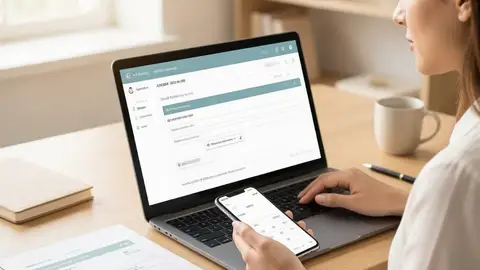
How to Download Aadhaar PDF 2026: Password, Mobile OTP and Common Errors

How to Update Aadhaar Name for Exam Forms 2026: Correction Steps and Matching Rules
Explore Topics
Perfect Your Resume
Use our AI-powered Resume Builder to create ATS-optimized resumes.
AI Resume Builder