
Recruitment guide
Low Vision Computer-Based Exams 2026: Accessibility — Explained
Discover how low vision candidates can access zoom, screen readers, and other supports in computer-based exams 2026 to ensure equal opportunity and success.

As computer-based exams continue to become the standard mode of assessment for government jobs and other competitive exams in India, it is crucial to ensure that candidates with low vision receive the necessary support to compete on an equal footing. The year 2026 is set to witness significant advancements in accessibility features tailored to assist low vision candidates during computer-based exams. This article explores the range of tools and accommodations, such as zoom functionalities, screen readers, and other accessibility supports, that are being integrated to make exams more inclusive.
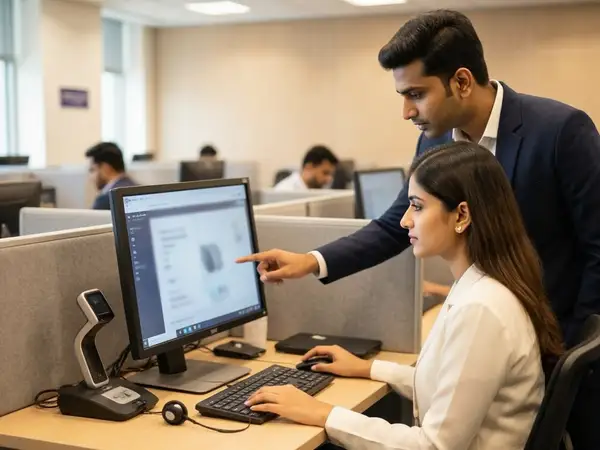
Understanding Low Vision and Its Impact on Computer-Based Exams
Low vision refers to a significant visual impairment that cannot be fully corrected with standard glasses, contact lenses, medication, or surgery. It affects a candidate’s ability to see clearly, making it challenging to read exam questions, navigate interfaces, or manage time effectively during computer-based tests.
For computer-based exams, where the interface is digital and time-bound, candidates with low vision face unique challenges such as:
- Difficulty reading small fonts or dense text on screens.
- Struggles with distinguishing colors or contrasts that are not optimized for visual impairments.
- Problems navigating complex exam software without adequate accessibility tools.
- Fatigue due to eye strain caused by prolonged screen exposure.
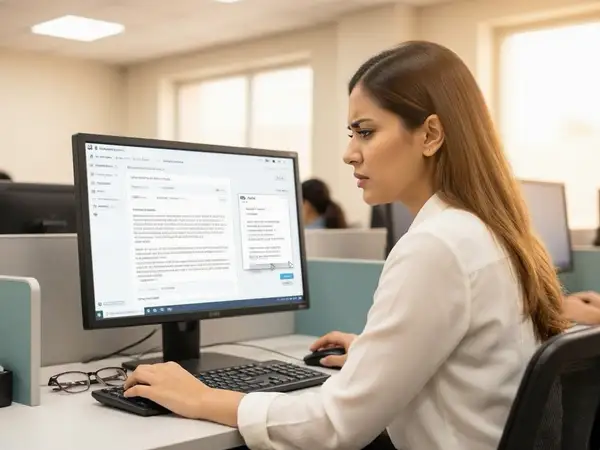
Recognizing these challenges, exam authorities and software developers have been working towards integrating features that enhance accessibility and usability for low vision candidates.
Zoom and Magnification Tools in Computer-Based Exams
One of the primary accommodations for low vision candidates is the availability of zoom and magnification tools within the exam software. These tools allow candidates to enlarge text, images, and interface elements to a comfortable viewing size without losing clarity.
Key Features of Zoom Tools
- Adjustable Magnification Levels: Candidates can customize zoom levels from 100% to 400% or more, depending on their needs.
- Magnifier Windows: Some platforms provide a movable magnifier window that enlarges only a portion of the screen, allowing candidates to focus on specific areas without losing overall context.
- Keyboard Shortcuts: Efficient zooming is possible through keyboard shortcuts, reducing the need for mouse navigation and saving time.
- Text Reflow: When zoomed in, the text reflows to avoid horizontal scrolling, improving readability.
These features help low vision candidates read questions and options clearly, enhancing their confidence and performance during exams.
Screen Readers and Text-to-Speech Support
Screen readers are assistive technologies that convert text and on-screen elements into speech or braille output. For low vision candidates, screen readers can be a game-changer, especially when combined with computer-based exams.
How Screen Readers Benefit Low Vision Candidates
- Auditory Access to Content: Candidates can listen to questions, instructions, and answer options, reducing reliance on visual input.
- Navigation Assistance: Screen readers help candidates move through the exam interface, including menus, buttons, and links.
- Customizable Voice Settings: Users can adjust speech rate, pitch, and volume to suit their listening preferences.
Many government exam platforms now integrate popular screen readers or provide compatibility with external screen reader software such as NVDA (NonVisual Desktop Access) and JAWS (Job Access With Speech).
Other Accessibility Features Supporting Low Vision Candidates
Beyond zoom and screen readers, various other accessibility features are being implemented to create an inclusive exam environment:
- High Contrast Modes: Exam interfaces offer high contrast color schemes that improve text visibility for candidates with low vision.
- Customizable Fonts and Backgrounds: Candidates can select font types, sizes, and background colors that reduce glare and enhance readability.
- Screen Layout Simplification: Minimalistic and clutter-free layouts reduce distractions and cognitive load.
- Keyboard Navigation: Full keyboard control allows candidates to navigate exams without relying on a mouse, which can be difficult for some low vision users.
- Extended Time and Breaks: Many exam authorities provide extra time or scheduled breaks to reduce eye strain and fatigue.
How Candidates Can Prepare for Accessibility Features in Exams
While exam bodies are improving accessibility, candidates with low vision should proactively prepare to make the most of these supports:
- Familiarize with Exam Software: Practice using the exam platform’s demo or practice tests to understand how zoom, screen readers, and other features work.
- Request Necessary Accommodations Early: Submit applications for special accommodations well before the exam date, providing medical certificates or disability documentation as required.
- Use Assistive Devices: If permitted, candidates can use personal assistive devices such as screen magnifiers or headphones for screen readers.
- Optimize Personal Settings: Customize font size, color contrasts, and audio settings to personal comfort levels during practice sessions.
- Maintain Eye Health: Regular eye exercises, proper lighting, and breaks during study sessions can help reduce strain.
Government Policies and Guidelines on Accessibility for Low Vision Candidates
The Indian government has taken several initiatives to ensure inclusivity in competitive exams:
- Rights of Persons with Disabilities Act, 2016: Mandates reasonable accommodations for persons with disabilities in education and employment.
- Guidelines by the Department of Empowerment of Persons with Disabilities (DEPwD): These include specific provisions for low vision candidates such as extra time, scribe assistance, and accessible exam formats.
- Inclusive Exam Policies by Exam Bodies: Bodies like UPSC, SSC, and state public service commissions have published detailed instructions on accessibility and accommodations.
Adherence to these policies ensures that candidates with low vision are not disadvantaged during the recruitment process.
Challenges and Areas for Improvement in Accessibility
Despite progress, certain challenges remain:
- Standardization Issues: Variability in accessibility features across different exam platforms can confuse candidates.
- Technical Limitations: Some screen readers or magnification tools may not work seamlessly with all exam software.
- Awareness and Training: Candidates and invigilators may lack awareness or training in using accessibility tools effectively.
- Infrastructure Constraints: Limited availability of assistive devices at exam centers in remote areas.
Addressing these issues requires collaboration between government agencies, software developers, and disability rights organizations.
Future Trends in Accessibility for Computer-Based Exams
Looking ahead, emerging technologies promise to further enhance accessibility for low vision candidates:
- AI-Powered Adaptive Interfaces: Exam software that automatically adjusts font size, contrast, and layout based on user preferences.
- Voice-Controlled Navigation: Allowing candidates to navigate exams using voice commands, reducing reliance on visual input.
- Enhanced Braille Display Integration: Supporting real-time braille output for candidates proficient in braille.
- Virtual Reality (VR) and Augmented Reality (AR): Potential for immersive exam environments designed for accessibility.
These innovations will contribute to a more inclusive and equitable examination landscape.
Checks to complete before you apply
As India moves towards fully digitized recruitment exams, ensuring accessibility for low vision candidates is not just a legal obligation but a moral imperative. The integration of zoom tools, screen readers, and other accessibility features in computer-based exams scheduled for 2026 marks a significant step forward. Candidates must stay informed about these accommodations, prepare accordingly, and advocate for their rights to create a fair competitive environment. Meanwhile, continuous improvements in technology and policy will help bridge the accessibility gap, enabling every candidate to showcase their true potential.
Frequently Asked Questions
Q1: What types of accommodations are available for low vision candidates in computer-based exams?
A1: Accommodations include zoom and magnification tools, screen readers, high contrast modes, customizable fonts and backgrounds, extended time, and the option to use assistive devices.
Q2: How can candidates request accessibility support for their exams?
A2: Candidates should submit a formal request along with medical certificates or disability proof to the exam authorities well before the exam date. It is advisable to check the specific guidelines of the exam conducting body.
Q3: Are screen readers compatible with all exam software?
A3: While many exam platforms support popular screen readers like NVDA and JAWS, compatibility can vary. Candidates should practice with the demo versions of the exam software to ensure smooth functioning.
Q4: Can candidates use their personal assistive devices during computer-based exams?
A4: Policies differ by exam authority. Some allow personal devices like magnifiers or headphones, while others provide equipment at the exam center. It is essential to confirm this beforehand.
Q5: What future technologies might improve accessibility for low vision candidates?
A5: Future advancements include AI-driven adaptive interfaces, voice-controlled navigation, enhanced braille display integration, and immersive VR/AR exam environments.
For more details on government exam results and admit cards, visit /sarkari-result and /admit-card.
Related Resources
Related Government Job Resources
Continue with active job hubs and related government job pages on TrueJobs.
Tools for this recruitment topic
Use only the tools relevant to the dates, eligibility or documents discussed above.
TrueJobs Editorial Team
TrueJobs editorial desk
This article is prepared from the sources referenced in the guide and reviewed for clarity, links and dated information. Read our editorial and corrections policy.
Continue This Topic
Follow the closest earlier and newer coverage so older archive posts keep real contextual crawl paths.
Colour Blind but Not PwBD 2026: Which Jobs May Still Reject You
Colour blindness will no longer be recognized as a disability under PwBD from 2026. Discover which government jobs may reject colour blind candidates and how to navigate this change.
Hearing Impaired Candidates in Govt Exams 2026: Scribe, Instructions and Extra Time Rules
A detailed guide on provisions for hearing impaired candidates in government exams 2026, including scribe facility, instructions, and extra time rules for fair access.
Read Next

Colour Blind but Not PwBD 2026: Which Jobs May Still Reject You

Writing Limitation Certificate 2026: Who Needs It Besides PwBD Candidates

Ex-Servicemen Length of Service Proof 2026: Documents Required by Recruitment Boards

Benchmark Disability Percentage 2026: Understanding the Impact of 39% vs 40% on Exam Benefits
Explore Topics
Perfect Your Resume
Use our AI-powered Resume Builder to create ATS-optimized resumes.
AI Resume Builder