
Recruitment guide
Update Aadhaar Photo for Govt Exams 2026: Step-by-Step — Explained
Need to update your Aadhaar photo for government exams 2026? Follow our detailed guide with steps, timeline, and tips to ensure smooth exam verification.
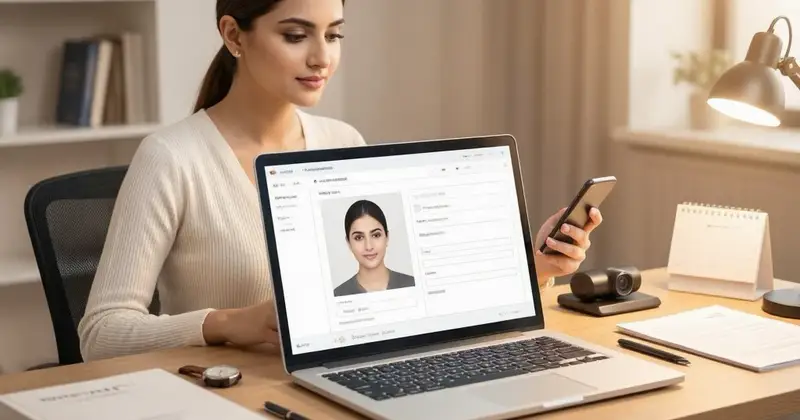
Aadhaar has become an essential identity document in India, especially for candidates applying for government exams. Many exam authorities require Aadhaar details, including a clear and updated photograph, to verify the identity of applicants. If your Aadhaar photo is outdated, unclear, or if you have changed your appearance, it is crucial to update your Aadhaar photo before applying for government exams in 2026. This article provides a comprehensive guide on how to update your Aadhaar photo, the step-by-step process, timelines involved, and important tips to ensure smooth verification during government recruitment processes.
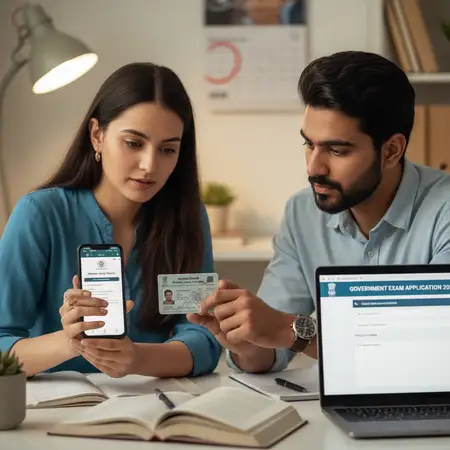
Why Updating Aadhaar Photo is Important for Government Exams 2026
The government uses Aadhaar as a primary identity proof for various exams and recruitment drives. Here are some reasons why updating your Aadhaar photo is important:
- Identity Verification: An updated photo helps exam authorities verify your identity accurately at the exam center.
- Avoiding Discrepancies: Mismatched or unclear photos can lead to disqualification or delay in application processing.
- Compliance with Exam Guidelines: Many government exams explicitly mention Aadhaar as a mandatory document with a clear and recent photograph.
- Biometric Authentication: Aadhaar biometric authentication is often used to prevent impersonation and fraud.
Therefore, it is advisable to update your Aadhaar photo well in advance of the exam application deadline.

Who Can Update Aadhaar Photo?
Any Aadhaar cardholder can update their photograph if needed. Common scenarios include:
- Change in appearance due to age, hairstyle, facial hair, or health conditions.
- Initial Aadhaar photo was unclear or of poor quality.
- Photo missing or not printed on the Aadhaar card.
- Correction of errors or outdated images.
Note that updating your Aadhaar photo is a biometric update and requires visiting an Aadhaar Enrolment Centre.
Step-by-Step Process to Update Aadhaar Photo
Updating your Aadhaar photo is a straightforward process but must be done carefully to avoid multiple visits. Follow these steps:
Step 1: Locate Your Nearest Aadhaar Enrolment/Update Centre
Visit the official UIDAI website or use their mobile app to find the closest Aadhaar Enrolment Centre. These centers are usually located in government offices, banks, or authorized outlets.
Step 2: Book an Appointment (Optional but Recommended)
To avoid long queues, you can book an appointment online on the UIDAI portal. This ensures you get a fixed time slot for your update request.
Step 3: Carry Required Documents
Bring your original Aadhaar card, along with a valid photo ID proof if required. Since this is a photo update, your Aadhaar number (UID) is mandatory. No additional documents are generally needed for photo update.
Step 4: Visit the Enrolment Centre
Go to the centre at your scheduled time. Inform the executive that you want to update your Aadhaar photo. They will verify your identity using biometric data and Aadhaar number.
Step 5: Capture New Photograph
The operator will take your new photograph using a digital camera. Ensure you look directly at the camera with a neutral expression and no accessories that obscure your face.
Step 6: Submit Update Request
After capturing the photo, the operator will submit your update request. You will receive an acknowledgment slip containing your Update Request Number (URN).
Step 7: Track Update Status
You can track the status of your Aadhaar update using the URN on the UIDAI website or mobile app. Updates typically take 7-10 working days but can vary.
Timeline for Aadhaar Photo Update and Its Impact on Government Exams 2026
Understanding the timeline is crucial to ensure your updated Aadhaar photo is reflected before applying for exams:
| Step | Estimated Time | Details |
|---|---|---|
| Booking Appointment | Same day to 1 day | Depends on centre availability |
| Visit and Submit Update Request | 1 day | Depends on your schedule and centre timings |
| Processing of Update Request | 7 to 10 working days | UIDAI processes the update and uploads new photo |
| Status Confirmation | Within 10 days | You can check via URN on UIDAI portal |
| Updated Aadhaar Availability | After confirmation | Download e-Aadhaar with updated photo |
Important: Since government exam application windows are often limited, initiate your Aadhaar photo update at least 1 month before the application start date to avoid last-minute issues.
How to Download Updated Aadhaar with New Photo
Once your Aadhaar photo update is processed, you can download the updated e-Aadhaar online:
- Visit the official UIDAI website.
- Click on the “Download Aadhaar” option.
- Enter your Aadhaar number or Enrollment ID, along with CAPTCHA verification.
- Request an OTP on your registered mobile number.
- Enter the OTP to download your updated e-Aadhaar PDF.
This updated e-Aadhaar will contain your new photograph and can be printed and used for exam applications and verification.
Common Issues and How to Avoid Them
- Photo Not Updated After 10 Days: Contact UIDAI helpline or visit the enrolment center with your URN for clarification.
- Mismatch in Biometric Data: Ensure your fingerprints and iris scans are captured correctly during update.
- Incorrect Photo Quality: Maintain a neutral face, avoid hats or sunglasses, and ensure good lighting during photo capture.
- Multiple Update Requests: Avoid submitting multiple requests for the same update to prevent confusion and delays.
- Not Informing Exam Authorities: Some exams require you to upload Aadhaar details during application; ensure you use the updated Aadhaar number and photo.
Tips for Candidates Applying for Government Exams in 2026
- Check the official exam notification for Aadhaar requirements well in advance.
- Verify your Aadhaar photo quality and update if necessary before the application window opens.
- Keep a soft copy and printout of your updated e-Aadhaar ready for submission.
- Ensure your mobile number linked with Aadhaar is active to receive OTPs during download and verification.
- Use the updated Aadhaar for all official communications related to the exam.
- Keep track of your update status using the URN and UIDAI portal.
Additional Resources and Links
Checks to complete before you apply
Updating your Aadhaar photo is a critical step for candidates preparing for government exams in 2026. A clear and recent photograph on your Aadhaar card ensures smooth verification and avoids unnecessary complications during the application and examination process. By following the step-by-step process outlined above and initiating your update well ahead of time, you can confidently meet all Aadhaar-related requirements. Remember to keep track of your update status and download the updated e-Aadhaar for your records. Stay informed and prepared to make your government exam journey hassle-free.
Frequently Asked Questions
Q1: Can I update only my Aadhaar photo without changing any other details?
Yes, you can update just your Aadhaar photo without altering any other personal information. Visit an Aadhaar Enrolment Centre and request a photo update specifically.
Q2: Is it possible to update Aadhaar photo online?
Currently, Aadhaar photo updates require a physical visit to an Aadhaar Enrolment Centre as biometric authentication and photo capture are mandatory. Online photo updates are not supported.
Q3: How long does it take for the new photo to reflect in Aadhaar records?
Typically, the update process takes 7 to 10 working days. You can track the status using the Update Request Number (URN) provided at the time of submission.
Q4: Will updating my Aadhaar photo affect my existing Aadhaar number?
No, your Aadhaar number remains the same. Only the photograph associated with your Aadhaar profile gets updated.
Q5: Can I use the old Aadhaar photo for government exam applications if the update is in process?
It is recommended to use the updated Aadhaar with the new photo for exam applications. If the update is not complete, check the exam authority’s guidelines. Sometimes, the old photo Aadhaar may still be accepted if valid.
For more information on government exam preparations and updates, visit our /sarkari-result and /admit-card pages.
Related Resources
- Documents Required for Government Jobs
- How to Apply for Sarkari Naukri
- Understanding Government Exam Eligibility
- Aadhaar-PAN Linking for Govt Jobs
Related Government Job Resources
Continue with active job hubs and related government job pages on TrueJobs.
Tools for this recruitment topic
Use only the tools relevant to the dates, eligibility or documents discussed above.
TrueJobs Editorial Team
TrueJobs editorial desk
This article is prepared from the sources referenced in the guide and reviewed for clarity, links and dated information. Read our editorial and corrections policy.
Continue This Topic
Follow the closest earlier and newer coverage so older archive posts keep real contextual crawl paths.
How to Update Aadhaar Name for Exam Forms 2026: Correction Steps and Matching Rules
Ensure your Aadhaar name matches your exam form for 2026 exams. Follow our detailed guide on correction steps and matching rules to avoid delays and rejection.
APPSC Group 1 2026 Result: PDF Download, Cut Off and Next Steps
Check how to download APPSC Group 1 2026 result PDF, understand cut off marks, and learn about the next steps after result declaration for government job aspirants.
Read Next

How to Update Aadhaar Name for Exam Forms 2026: Correction Steps and Matching Rules
TSPSC Group 1 2026 Hall Ticket: Download Link, Exam Centre Rules and Instructions
How to Update Aadhaar Date of Birth 2026: What Proof Works for Exam Eligibility

APPSC Group 1 2026 Result: PDF Download, Cut Off and Next Steps
Explore Topics
Perfect Your Resume
Use our AI-powered Resume Builder to create ATS-optimized resumes.
AI Resume Builder