
Exam update
B.Ed Admit Card 2026 Download Link & Exam Guide — Explained
Your complete guide to the B.Ed Entrance Admit Card 2026. Learn how to download your hall ticket, verify your exam city details, and prepare for exam day with essential instructions.

The B.Ed (Bachelor of Education) entrance examination is a crucial gateway for aspiring teachers across India, paving the way for a rewarding career in the education sector. As the 2026 exam cycle approaches, one of the most anticipated documents for every candidate is the B.Ed Entrance Admit Card and the accompanying Exam City Slip. These documents are not just hall tickets; they are your official permission to appear for the examination and contain vital information about your test center. This comprehensive guide will walk you through everything you need to know about the B.Ed Admit Card 2026, including the expected download process, what details to verify, and how to handle any discrepancies.
Since the notification for the 2026 exams is yet to be officially announced, this article is based on the established patterns and procedures from previous years to help you prepare effectively.
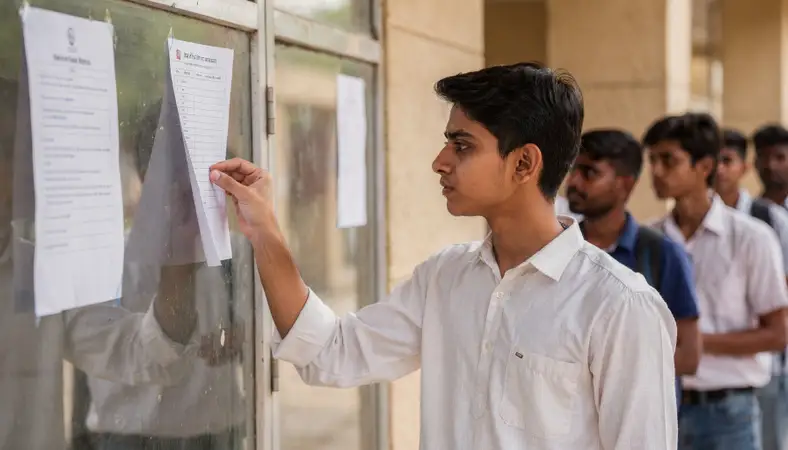
Understanding the B.Ed Entrance Exam and Its Conducting Bodies
Unlike a single, national-level exam, the B.Ed entrance exam is conducted by various state universities and independent bodies. Some of the major conducting bodies include state universities like Delhi University (DU), Banaras Hindu University (BHU), and Guru Gobind Singh Indraprastha University (GGSIPU), as well as central bodies like the National Testing Agency (NTA) for central universities. The specific dates and procedures for admit card release will be determined by the respective university or board that is organizing the exam for the 2026 academic session. It is imperative for candidates to regularly check the official website of the university they have applied to for the most accurate and timely updates.
When Will the B.Ed 2026 Admit Card Be Released?
As of now, the official notification and exam dates for the B.Ed entrance exams in 2026 have not been announced by any conducting body. Therefore, an official release date for the admit card is awaited. However, based on previous year trends, admit cards are typically released 10 to 15 days before the scheduled examination date. Candidates can expect the download links to become active on the official websites in the first or second quarter of 2026, depending on the exam schedule. We strongly advise all applicants to keep a close watch on the official portal of their respective exam-conducting authority to avoid missing any crucial announcements.
Step-by-Step Guide to Download B.Ed Admit Card 2026
The process to download the admit card is generally standardized across most platforms. Here is a step-by-step guide based on the common procedure followed in previous cycles:

- Visit the Official Website: Navigate to the official website of the university or board that is administering your B.Ed entrance exam (e.g., du.ac.in, bhu.ac.in, nta.ac.in).
- Find the Admit Card Link: Look for a prominent link or tab on the homepage labeled 'Admit Card', 'Hall Ticket', or 'Download B.Ed 2026 Admit Card'.
- Enter Login Credentials: You will be redirected to a login page where you must enter your application details. This typically includes your Application Number, Roll Number (if generated), and Date of Birth or Password.
- Submit and View Admit Card: After entering the correct credentials, click the 'Submit' or 'Login' button.
- Download and Print: Your B.Ed 2026 Admit Card and Exam City Slip will be displayed on the screen. Carefully verify all details. Download the PDF file and take multiple printouts on A4-size paper. Ensure the print is clear and all information is legible.
Crucial Details to Verify on Your Admit Card and Exam City Slip
Once you download your admit card, you must scrutinize every detail meticulously. Any error could lead to complications on exam day. Here are the key pieces of information you must check:
- Candidate's Name: Must exactly match the name on your photo ID proof (e.g., Aadhaar Card, Driver's License).
- Roll Number/Application Number: Ensure it matches the number in your application form.
- Photograph and Signature: Check that your uploaded photo and signature are clearly visible and correctly displayed.
- Exam Date and Time: Note the exact date and time slot of your examination.
- Exam Center Details (Exam City Slip): This is perhaps the most critical part. Verify the complete address of the exam center, including the name of the institution, building name, and city.
- Category and Subject Code: Confirm that your category (General, OBC, SC, ST, etc.) and subject choices are correctly mentioned.
- Important Instructions: Read all the general instructions and exam day guidelines printed on the admit card carefully.
What to Do If There Are Errors in Your Admit Card?
If you discover any discrepancy in the information printed on your admit card, you must not ignore it. Immediately contact the helpline or helpdesk of the exam conducting authority. Most universities provide a dedicated email address or helpline number for such grievances. You should report the error along with your application details and a scanned copy of the erroneous admit card. Act promptly, as there is usually a limited window to correct mistakes after the admit card is released.
Exam Day Instructions and Mandatory Documents
Your admit card is your entry pass, but it is not the only document you need to carry. Failing to bring the required items can result in you being barred from entering the examination hall. Here’s a checklist for the exam day:
- Printed Copy of B.Ed Admit Card 2026: A clear printout with your photo and signature visible.
- Original Photo ID Proof: A government-issued ID like Aadhaar Card, PAN Card, Driver's License, Passport, or Voter ID. The name on the ID must match the name on your admit card.
- Photographs: Some centers require one or two recent passport-sized photographs to be brought along. Check your admit card instructions for this requirement.
- Other Items: A simple transparent ballpoint pen. Check if the exam pattern allows for a personal calculator or other tools (usually not permitted).
Prohibited Items: Electronic devices like mobile phones, smartwatches, Bluetooth devices, calculators (unless specified), and any study material are strictly prohibited inside the exam hall.
Conclusion: Be Prepared and Stay Informed
The release of the B.Ed Entrance Admit Card 2026 is a significant milestone in your journey to becoming a teacher. While the official notifications are still awaited, being proactive and understanding the process beforehand will put you at a significant advantage. Remember, the only authentic source for all information, including the admit card download link, is the official website of your exam-conducting university. Avoid relying on third-party sites for this critical document. Bookmark the official site, keep your application number safe, and prepare diligently. We wish you the very best for your B.Ed entrance examination!
Frequently Asked Questions (FAQs)
Q1: I have lost my application number. How can I download my B.Ed 2026 admit card?
A1: Most official portals have a 'Forgot Application Number' or 'Retrieve Login Details' option on the admit card login page. You can typically retrieve it by registered email ID or mobile number. If that doesn't work, you must immediately contact the helpdesk of the conducting authority.
Q2: Is the Exam City Slip the same as the Admit Card?
A2: Often, the exam city details are integrated into the main admit card itself. However, some universities may issue a separate intimation slip for the exam city first, followed by the detailed admit card later. Both are mandatory documents to carry to the exam center.
Q3: Can I get my exam center changed after the admit card is released?
A3: As per previous year trends, requests for a change of exam center after the release of the admit card are rarely entertained. The allocation is done based on your application choices and logistical constraints. Only in extreme circumstances, with valid proof (e.g., a medical emergency), may the authority consider a request, but it is not guaranteed.
Q4: What should I do if I forget to carry my admit card to the exam center?
A4: Without a valid admit card and original photo ID, you will likely not be allowed to enter the examination hall. It is absolutely mandatory. Always double-check that you have it before leaving for the center.
Q5: Will the admit card be sent to me by post?
A5: No, the standard process for all major conducting bodies is to make the admit card available for download online only. Candidates are responsible for downloading and printing their own admit cards. It is not sent via post or email.
Related Resources
Related Government Job Resources
Continue with active job hubs and related government job pages on TrueJobs.
Tools for this recruitment topic
Use only the tools relevant to the dates, eligibility or documents discussed above.
TrueJobs Editorial Team
TrueJobs editorial desk
This article is prepared from the sources referenced in the guide and reviewed for clarity, links and dated information. Read our editorial and corrections policy.
Continue This Topic
Follow the closest earlier and newer coverage so older archive posts keep real contextual crawl paths.
B.Ed Entrance Answer Key 2026: PDF Download & Objection Window Guide
A complete guide on the B.Ed Entrance Answer Key 2026 process. Learn how to download the PDF, calculate your score, and file objections during the window. Official notification is awaited.
B.Ed Entrance Exam Date 2026: Schedule, Admit Card & City Intimation
Your complete guide to the B.Ed Entrance Exam 2026. Learn the tentative schedule, how to download your city intimation slip and admit card, and essential preparation strategies for success.
Read Next

Pharmacy Entrance Admit Card 2026: Download Link & Exam City Slip Guide
CTET Admit Card 2026: Download Link, Exam City Slip & Essential Guide

Nursing Entrance Admit Card 2026: Download Link & Exam City Slip Guide

TET Admit Card 2026: Download Link, Exam City Slip & Instructions
Explore Topics
Perfect Your Resume
Use our AI-powered Resume Builder to create ATS-optimized resumes.
AI Resume Builder